

Device features
Device features are the built-in capabilities of a child's smartphone, such as the camera, Bluetooth and contactless payments. From the dashboard, an admin, team owner or guardian can block or allow each feature.
To navigate to feature controls from the dashboard view, click on the team for which you want to change the device features for -> click on the child within that team whose device features you want to change -> in the side bar on the right, click device -> feature controls.
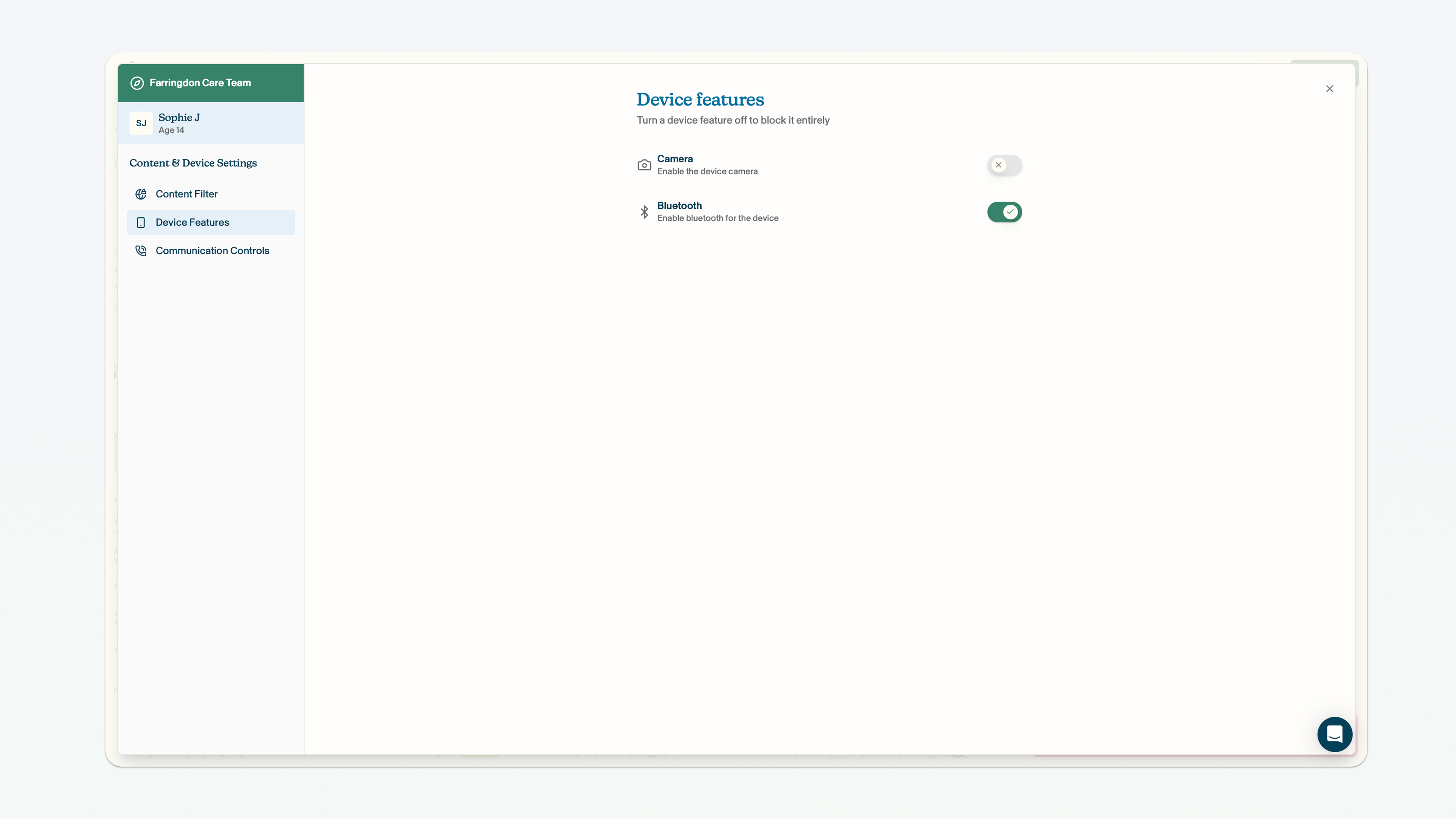
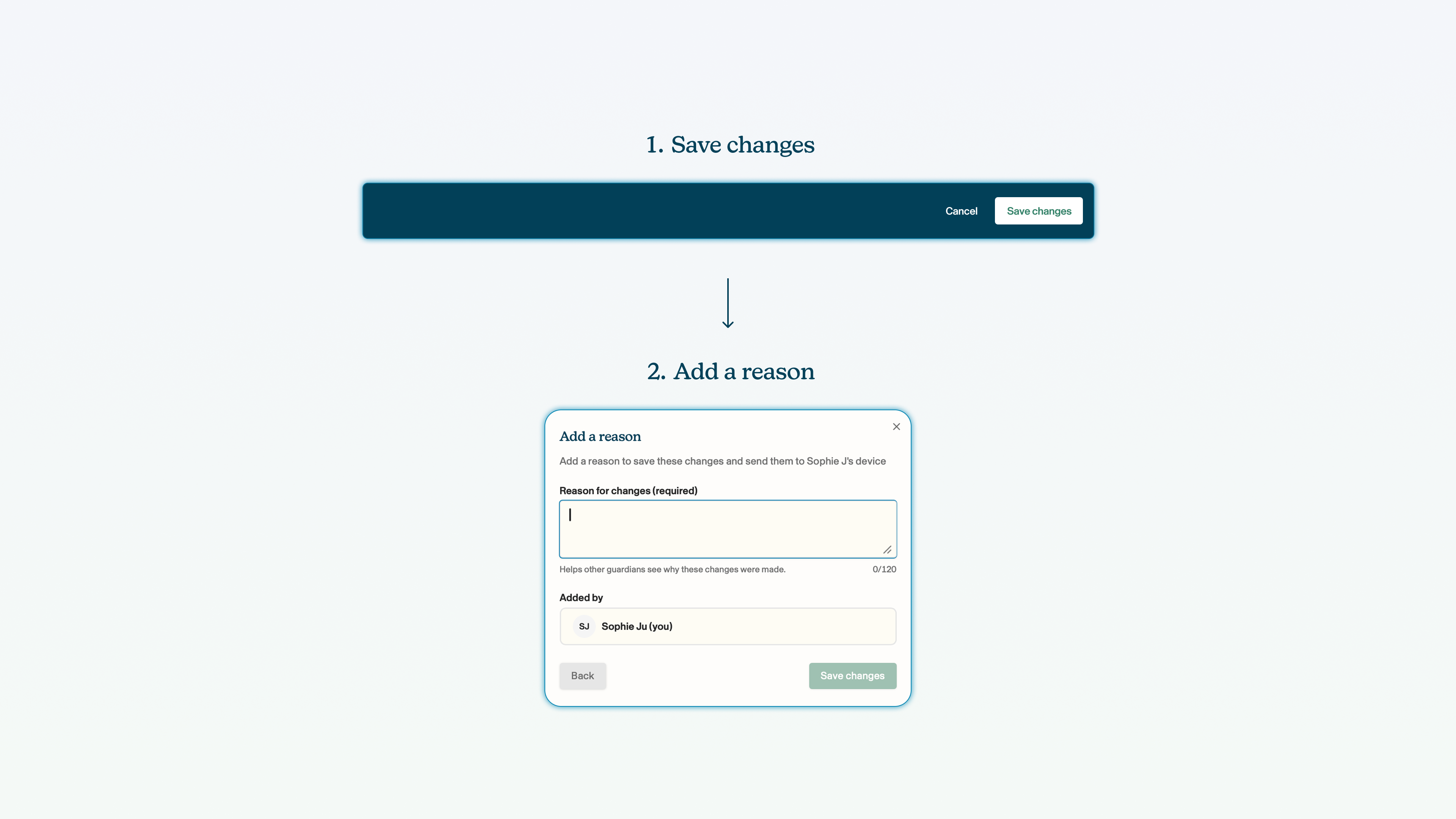
Remember: you must click save changes on the blue bar at the bottom of the screen whenever you make a change to the configuration of a child's smartphone.
Camera
You can block the child from using the camera on their device. This will mean that neither the camera app on the device will work, nor will any app (e.g. a social media app) be able to use the camera. This applies to both photos and videos.
Click the toggle next to the camera field. The green tick means the camera is enabled, the grey cross means the camera is blocked.
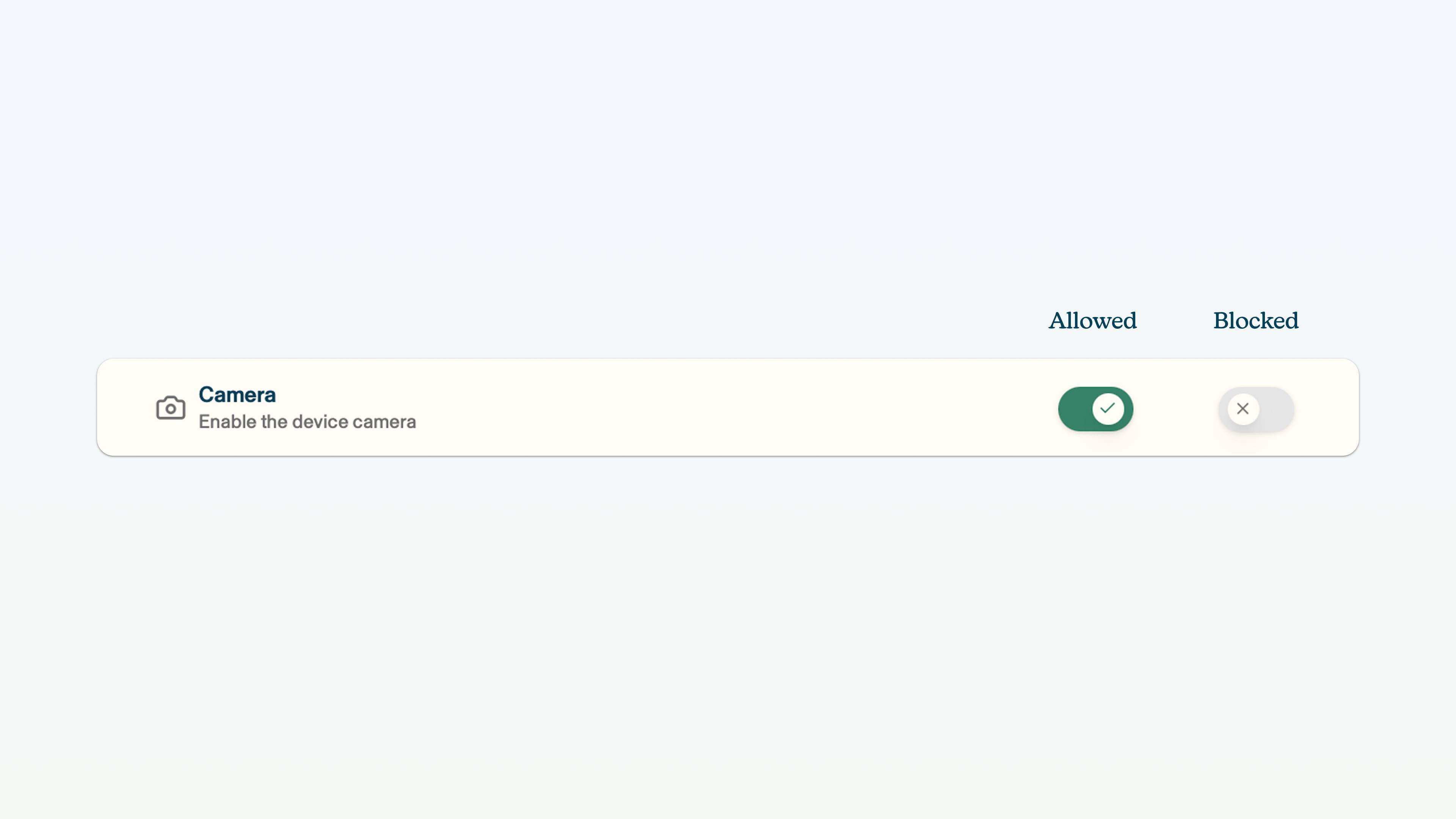
If a child tries to access the camera when the camera has been blocked, a dialogue box will appear saying 'blocked by work policy'.
Bluetooth
You can block use of Bluetooth. This will mean that the device's in-built Bluetooth feature and any app that uses Bluetooth will no longer be able to use it.
Click the toggle next to the Bluetooth field. The green tick means Bluetooth is enabled, the grey cross means Bluetooth is blocked.
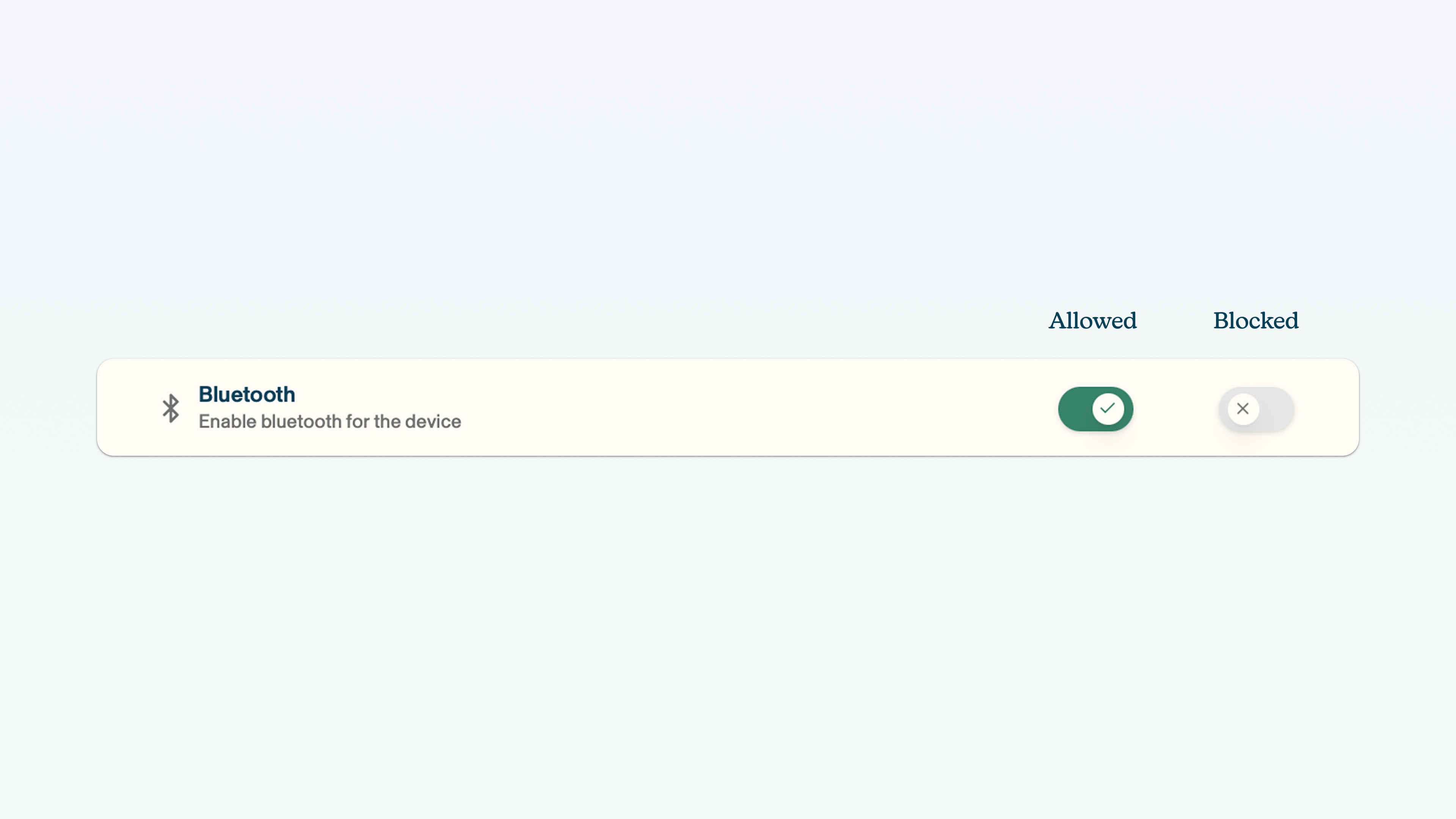
If a child tries to access Bluetooth when Bluetooth has been blocked, a dialogue box will appear saying 'blocked by work policy'.