

Report a child as found
A key part of reducing the length of time children go missing for is to accurately record the details around how, where and when they are found. This feeds into the auditable log of missing incidents that is collated through Voop, and supports organisations' local safeguarding practices.
From the missing view, an admin, team owner or guardian can report a child as found. This will end the missing incident.
When a child is reported as found, the missing incident closes out. This will revert the child's location sharing consent to the status it had prior to the start of the incident. If the child was reported as missing when they had removed their location sharing consent, reporting the child as found will return their consent to this position.
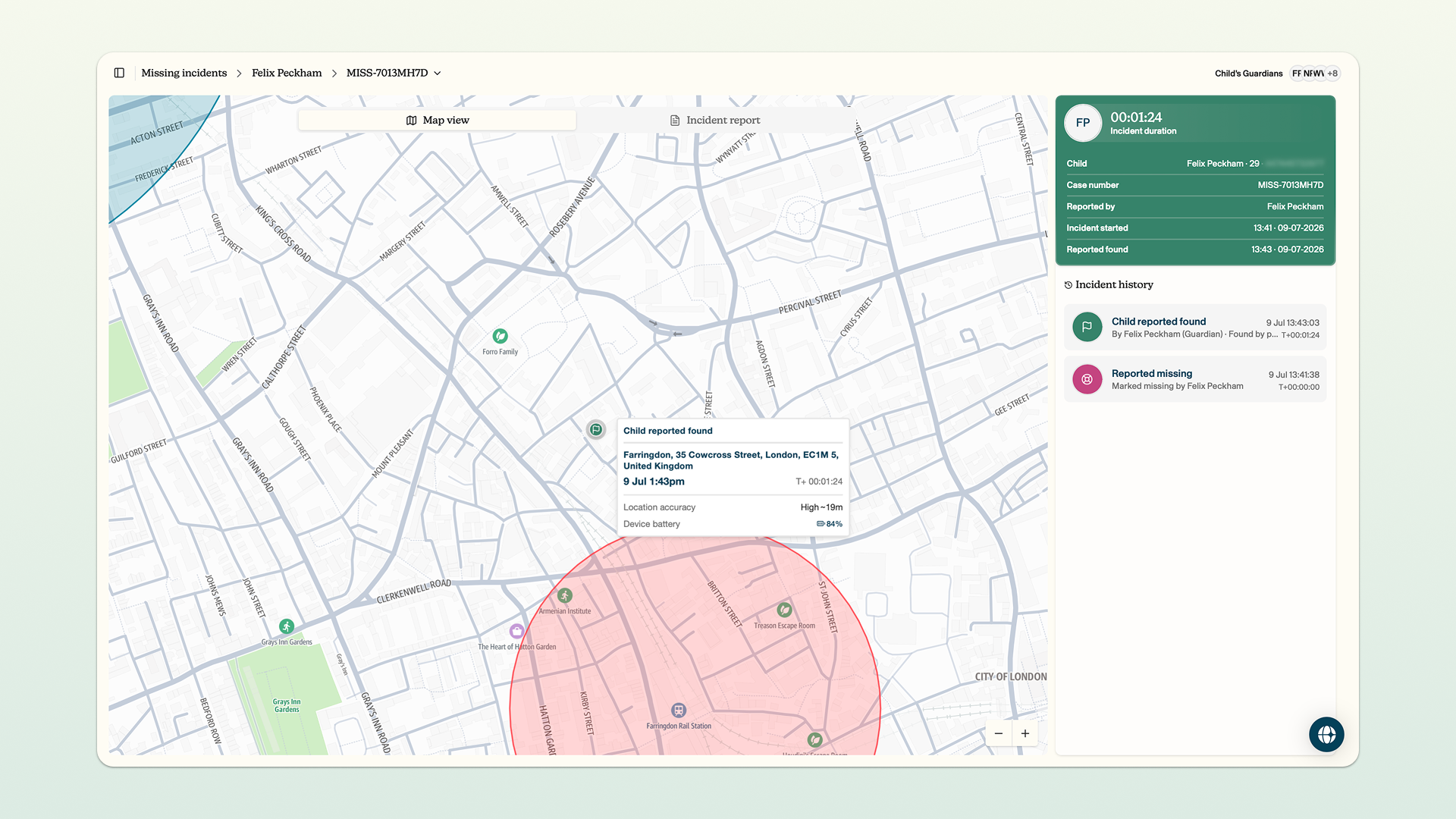
The missing feature does not replace any existing safeguarding protocols at your organisation. The missing feature should be considered as a tool to complement these existing protocols. Reporting a child as missing does not notify the police or any other third party.
How to report a child as found
You can report a child as found. Reporting a child as found will do the following:
- Close the missing incident on the dashboard
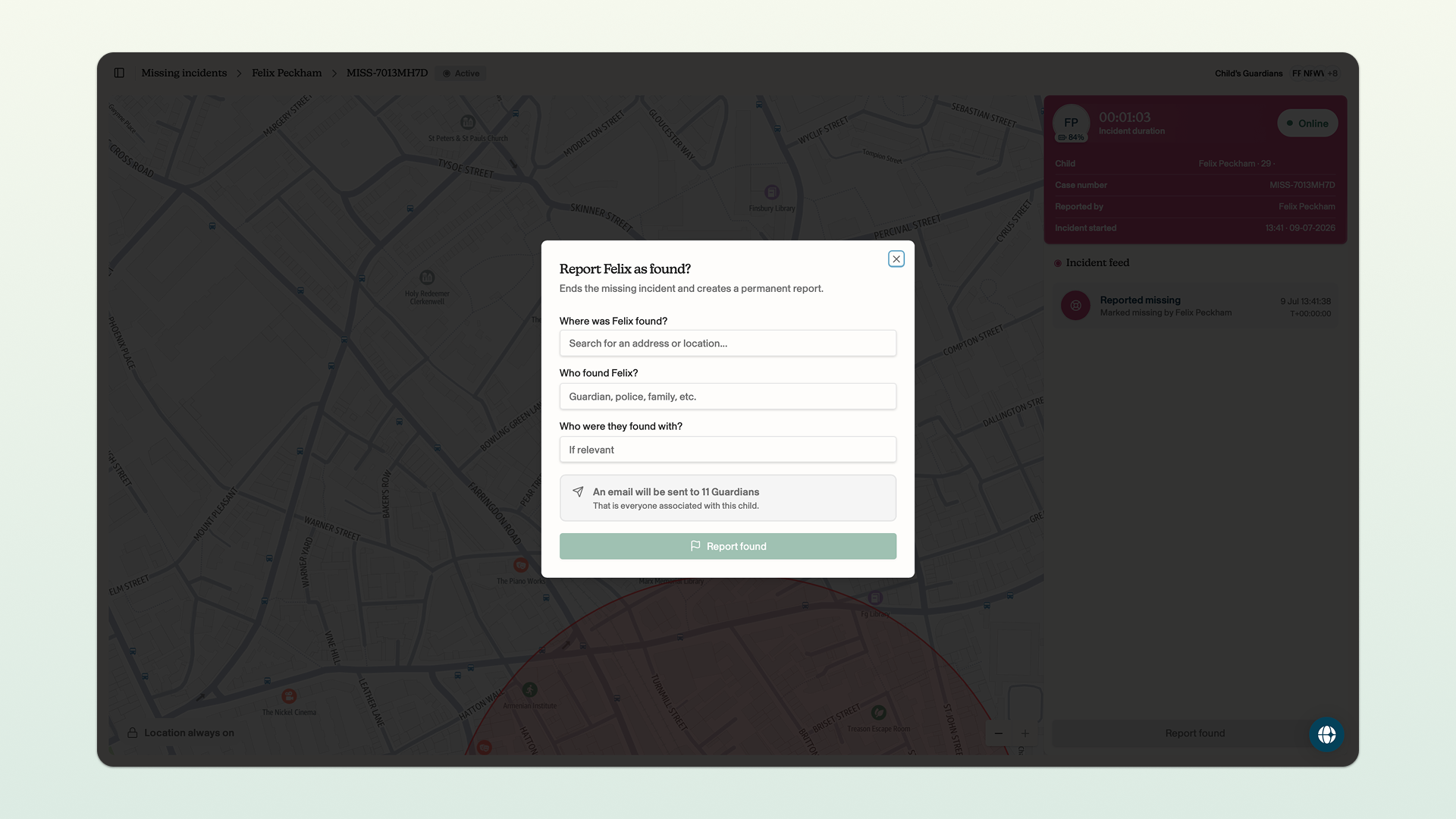
- Alert all of the admins, team leaders and guardians in your account that a child has been reported as found
- Revert the child's location sharing to its pre-missing-incident status
- Create an auditable missing incident report, where you can generate a PDF summary
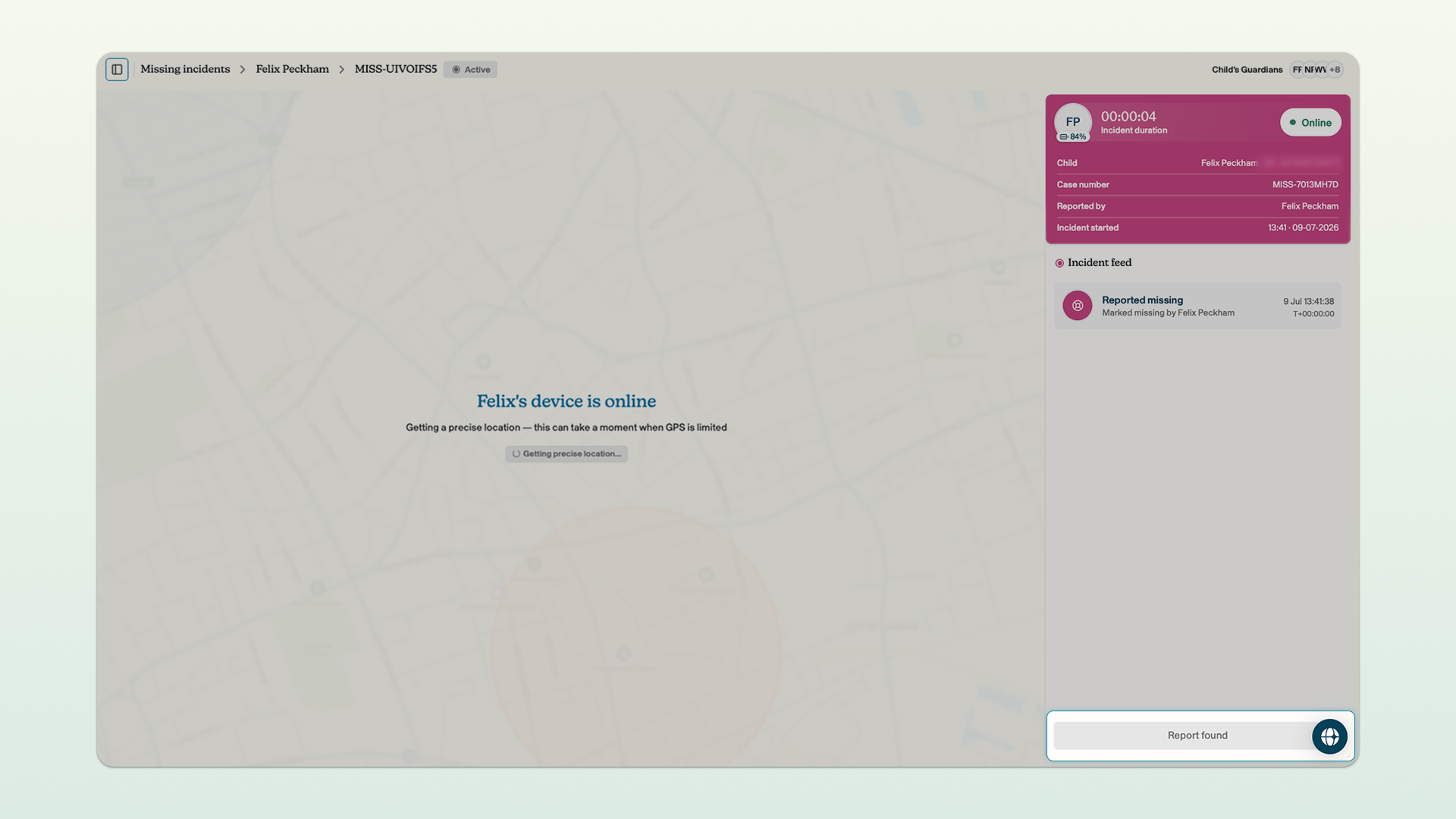
Click report found in the bottom right corner of the dashboard → enter where the child was found, who found the child, and who the child was found with, click report found.
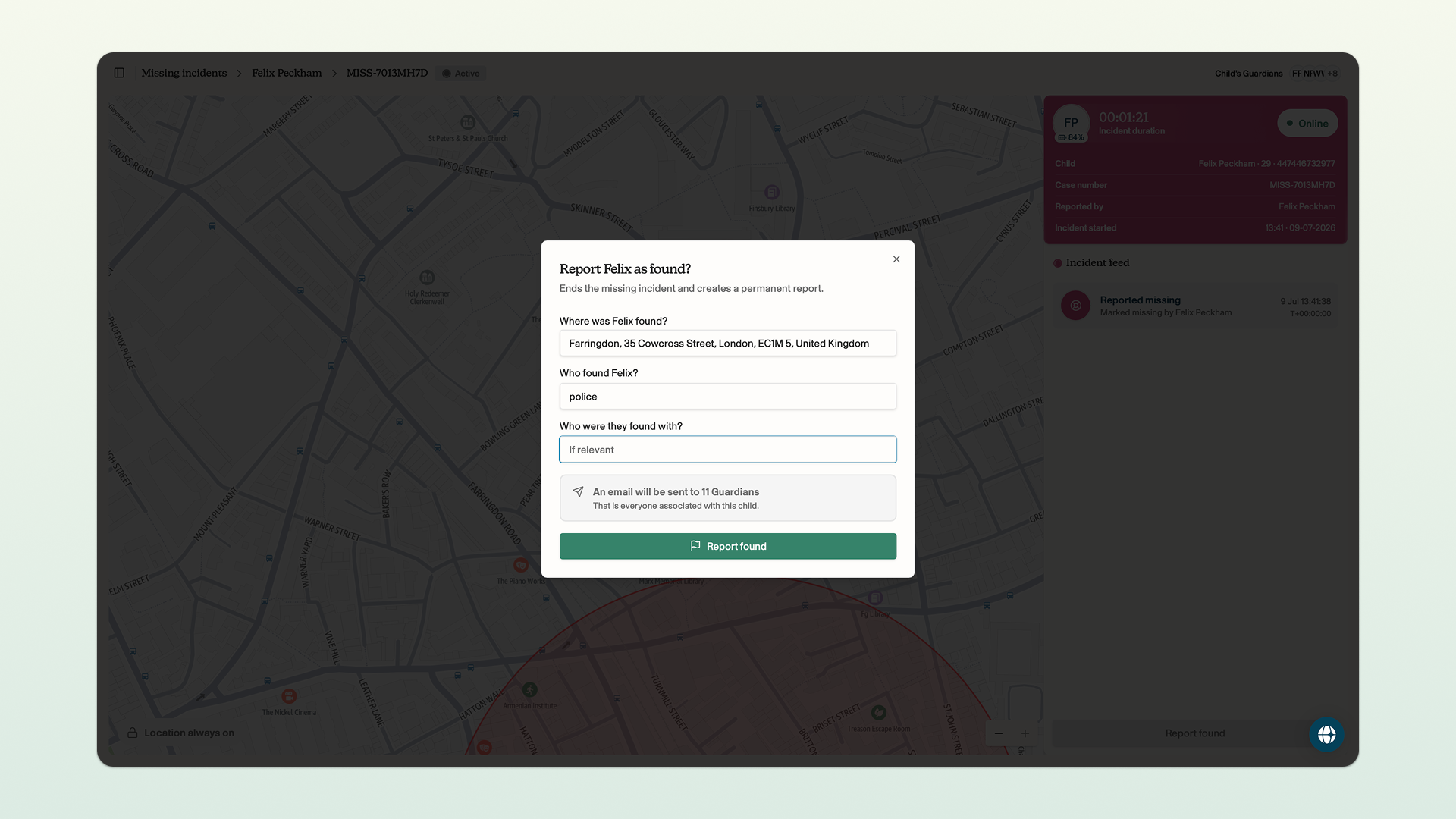
Once you have marked the child as found, the missing incident is closed and the report is generated.