

Report a child as missing
We want to reduce the length of time children go missing for, to minimise potential harm and maximise the safety and wellbeing of the child.
You can report a child as missing. From the dashboard, an admin, team owner or guardian can view detailed location data to help locate that child.
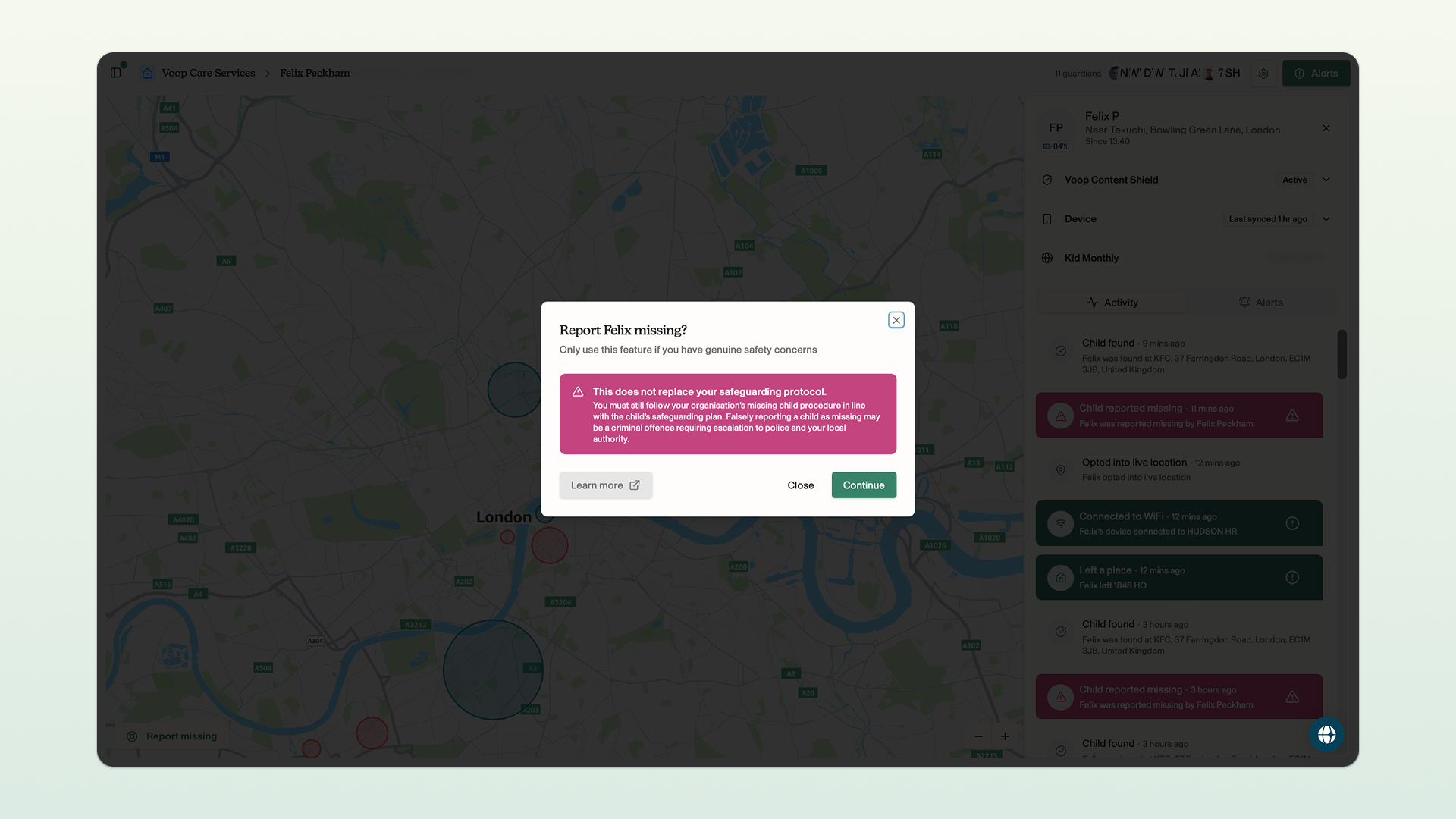
The missing feature should only be used if you have genuine safety concerns for the child. Using this feature in the absence of a genuine safety concern could result in an unlawful deprivation of a child's liberty.
The missing feature will override the child's consent to share their location, which the child controls through the Voop app on their smartphone. If a child has removed their consent to share their location with you and you have a genuine safety concern for the child, you can report the child as missing to identify their location through this feature.
If a child is already consenting to share their location with you, and you can see their location on the dashboard, you may not need to use the missing feature.
There are limitations to the effectiveness of the missing feature. If the child's smartphone is not with them, has poor mobile reception or has run out of battery then the ability to use this feature to locate them will be limited.
You can find out more about how a child can provide or withdraw consent to share their location through the Voop app here.
How to report a child as missing
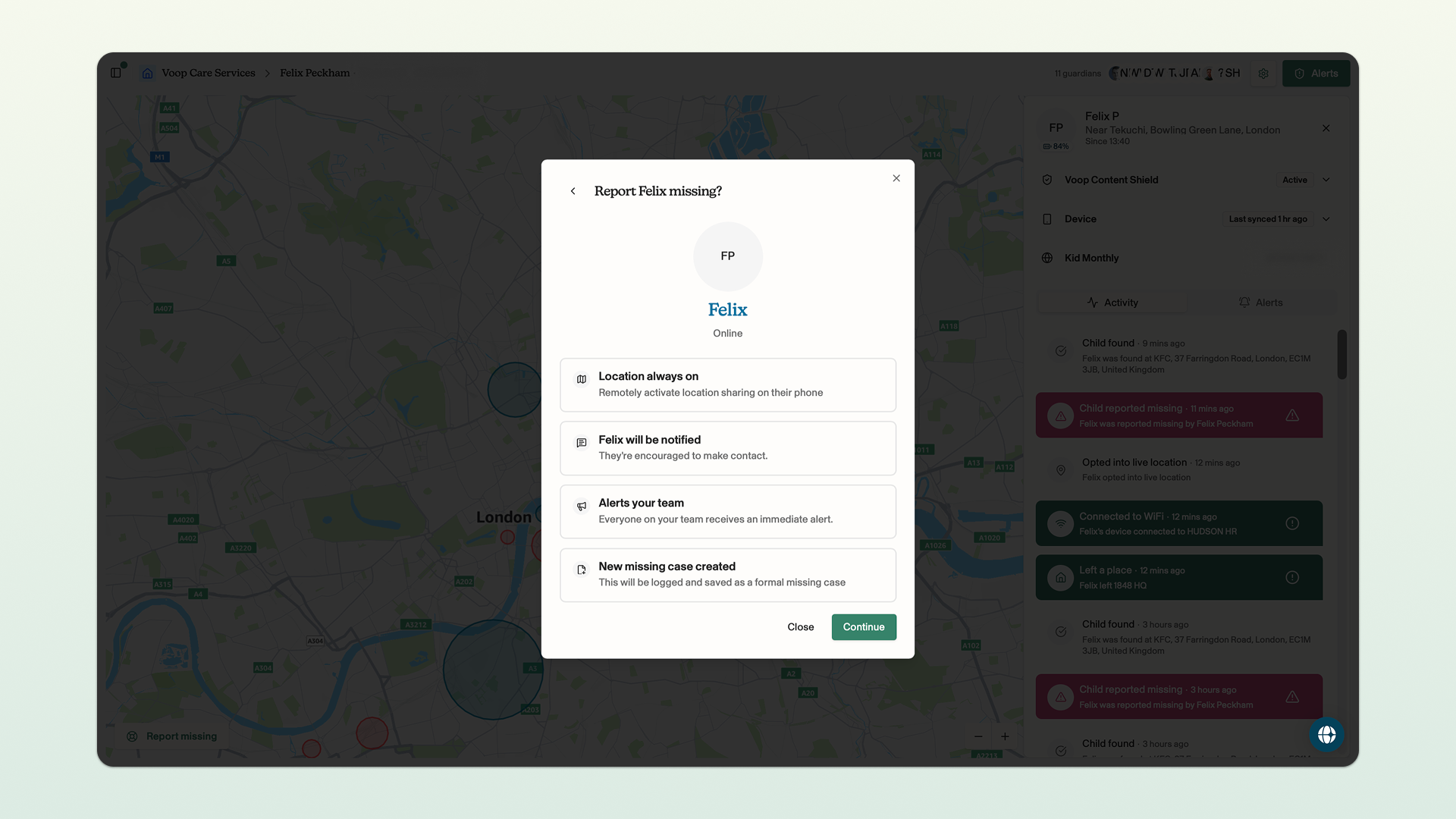
You can report a child as missing. Reporting a child as missing will do the following:
- Remotely activate location sharing on the child's smartphone
- Notify the child that they have been reported as missing and encourage them to check in with their guardian
- Alert all of the admins, team leaders and guardians in your account that a child has been reported as missing
- Create a new missing incident report
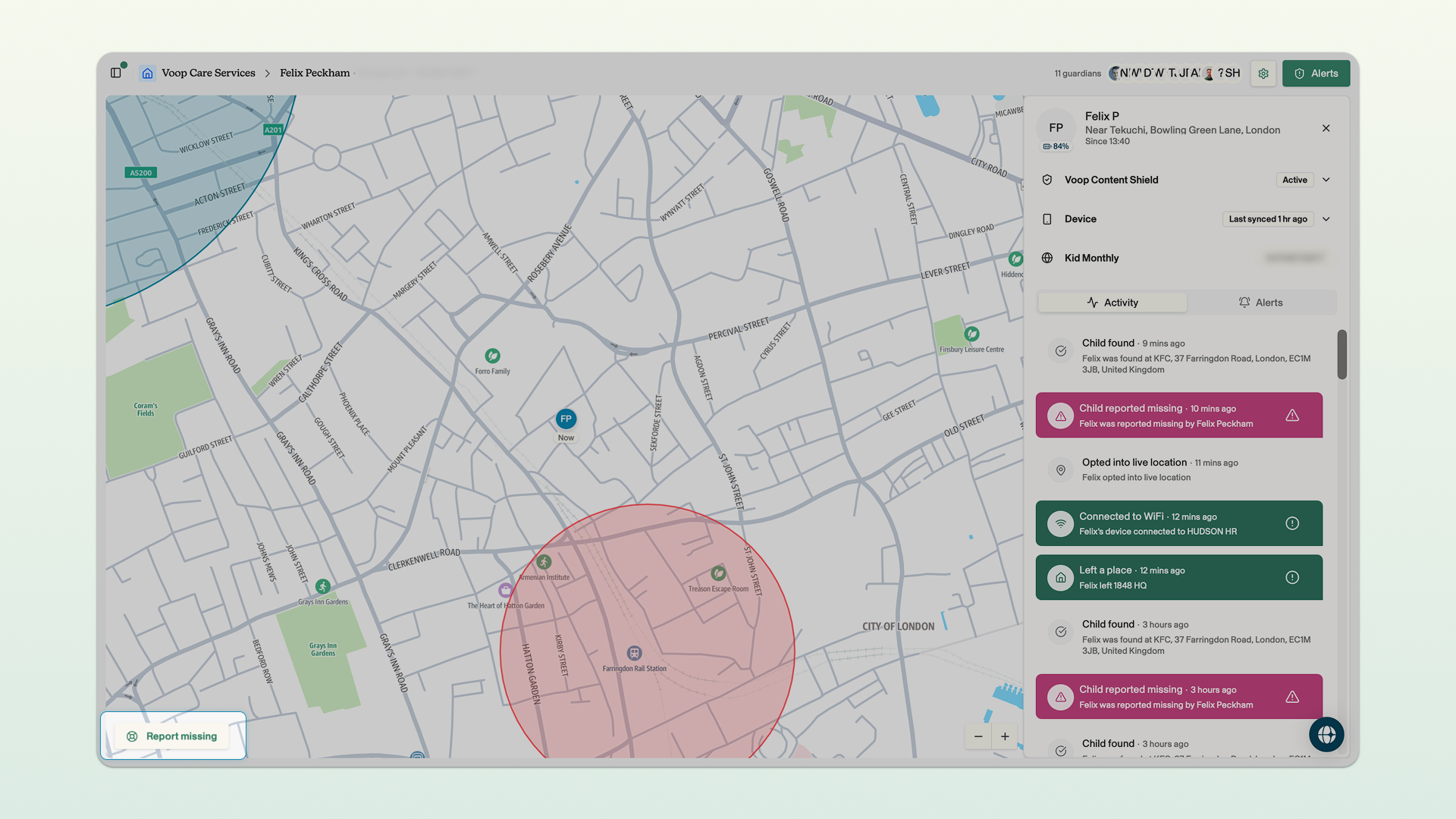
Click report missing in the bottom left corner of the dashboard → after reviewing the caveat, click continue → this prompt will remind you of what happens when you report the child as missing, click continue → enter the date, time and location that the child was last seen at and click report missing.
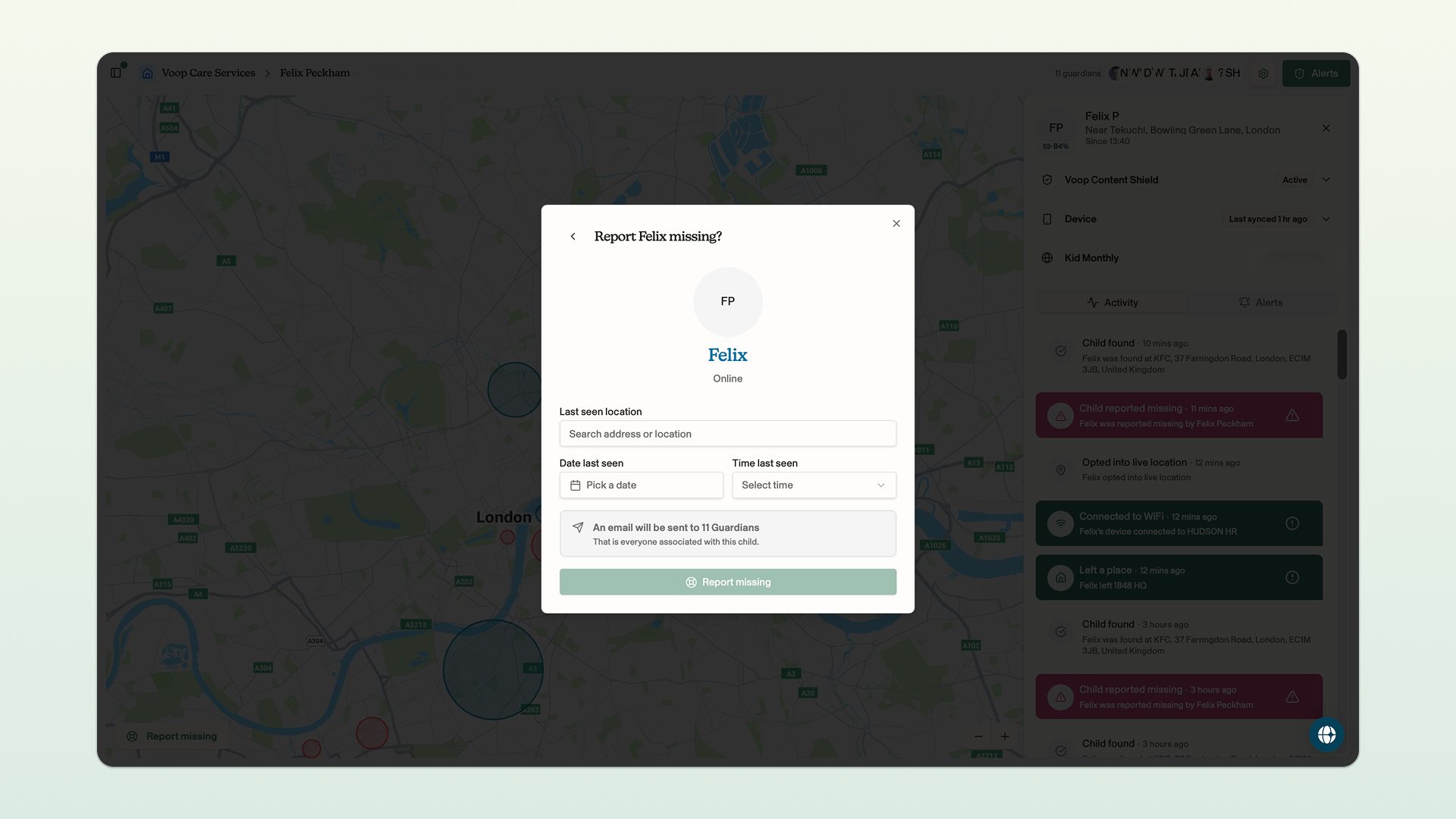
When a child is reported as missing, Voop will attempt to reach the child's smartphone so that we can share their location with you. If we aren't able to reach their smartphone (for example if it has run out of battery or does not have signal), you will continue to see this message and there will be an 'offline' icon on the dashboard.
Once you have marked a child as missing, Voop sends a notification to the child's smartphone encouraging them to check-in. We also remind the child that they aren't in trouble. It may take us a little bit of time to locate the device. If this happens, we will tell you that the device is online and you will see this screen whilst we locate the device.
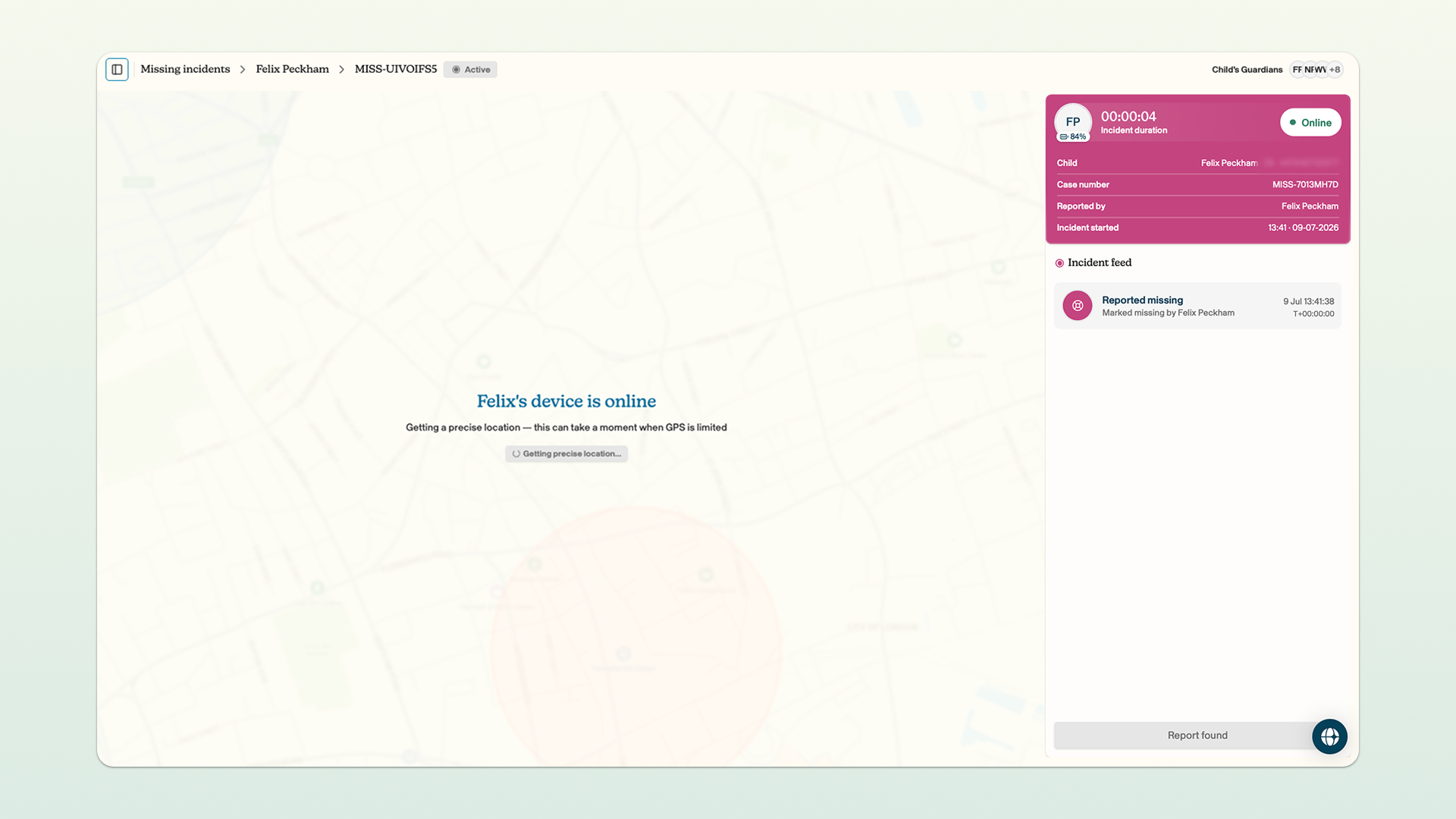
Provided the smartphone is with the child, turned on and has mobile reception, we will show you the location of the smartphone on the map on the dashboard. In the incident feed in the right hand sidebar, you'll see a chronological set of events, starting with the reporting of the child as missing.
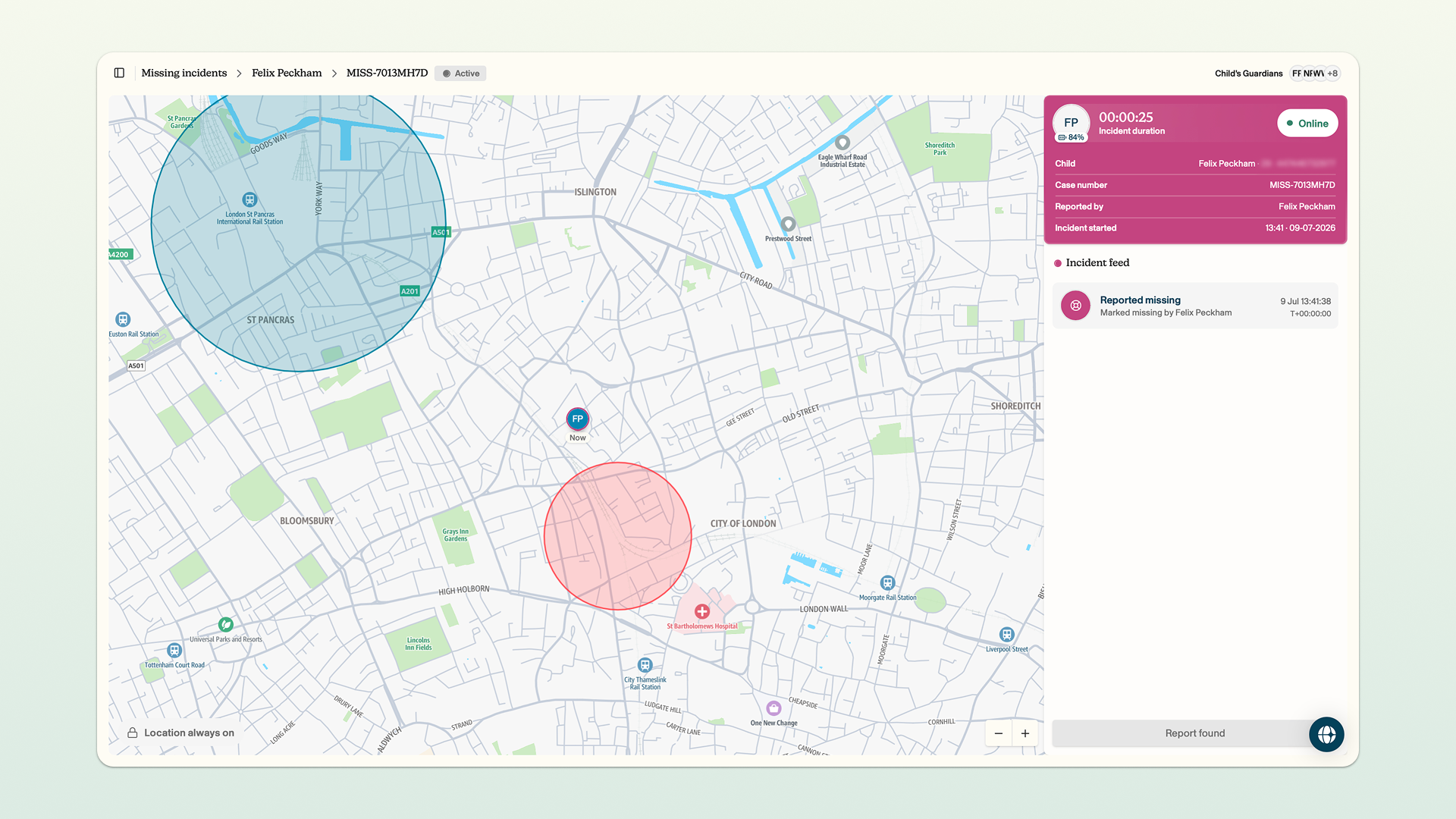
You can hover over the icon of the child on the map. This will show you more detailed information, including their approximate location, the accuracy of the location data and the smartphone's battery status.
If the smartphone goes offline at any point or loses signal, we will surface an activity in the incident feed to let you know.
The missing feature does not replace any existing safeguarding protocols at your organisation. The missing feature should be considered as a tool to complement these existing protocols. Reporting a child as missing does not notify the police or any other third party.