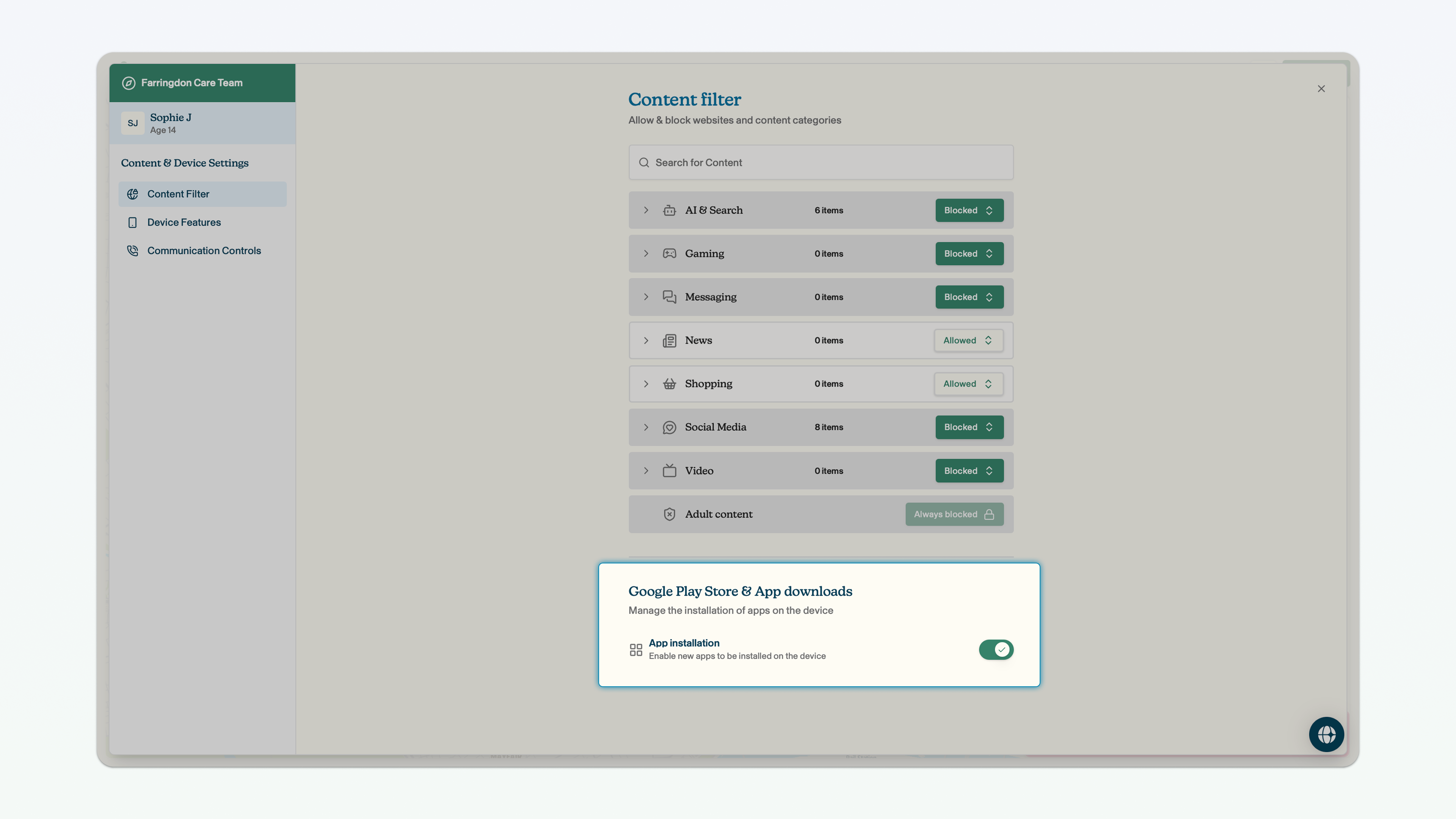
Downloading apps
You can block the child's ability to download apps.
To navigate to the web and app controls page from the dashboard view, click on the team for which you want to change the content filtering settings for -> click on the child within that team whose settings you want to change -> in the side bar on the right, click Voop content shield -> apps and web filter.
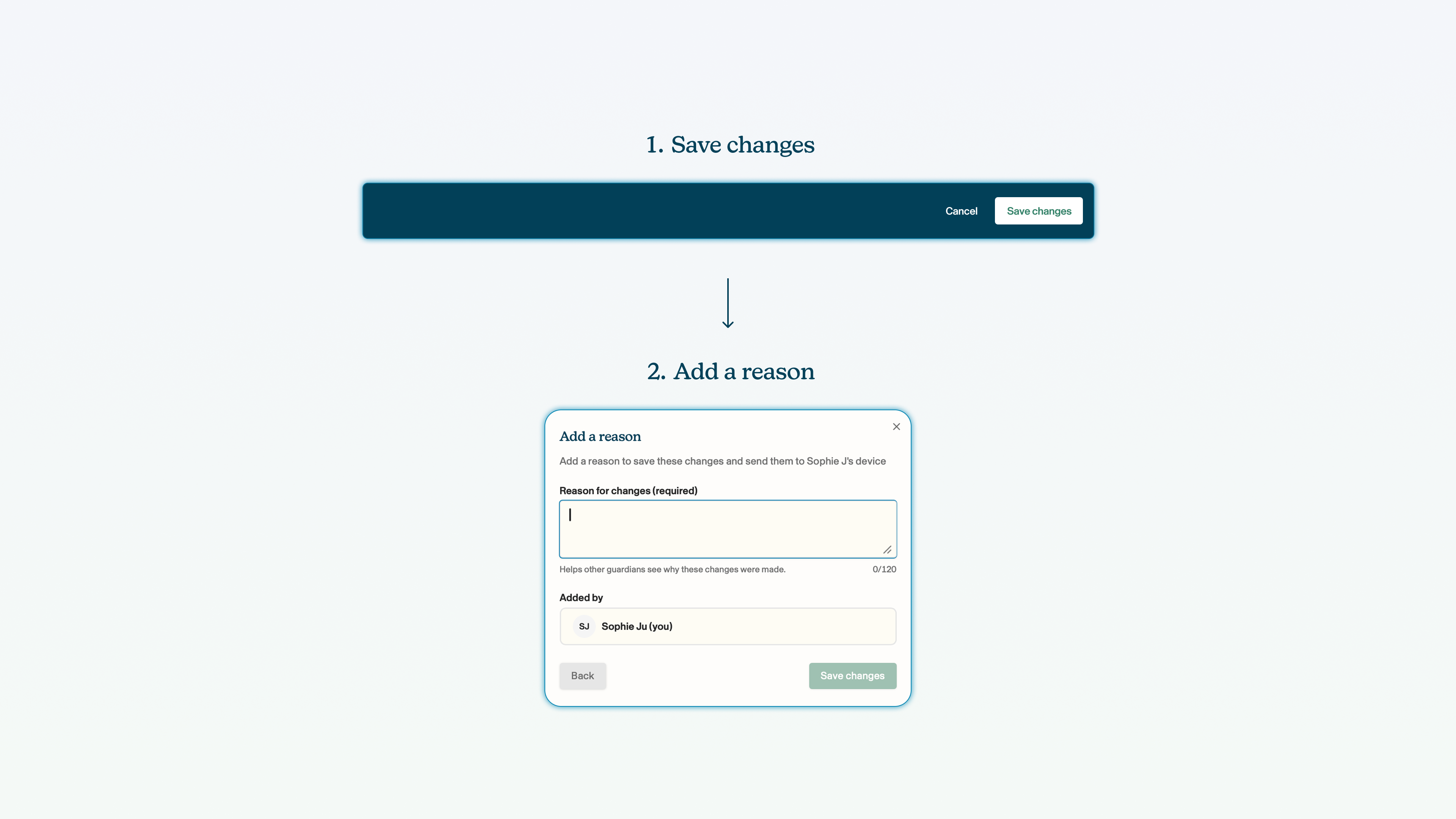
Remember: you must click save changes on the blue bar at the bottom of the screen whenever you make a change to the configuration of a child's smartphone.
Block app downloads
You can block the ability to download apps. The child will be able to access the Google Play Store app, but will not be able to download any new apps. It will not be possible to download apps through the web browser either (this is called 'side loading').
Click block next to the Google Play Store field.