

Status
We want to provide you with accurate and up-to-date visibility on the status of both the child and their device. We recognise that understanding both of these things is important to how you make decisions.
Child's status
The pin on the map that represents the child's location will change depending on the status of the child.
There are 4 child statuses:
- Child's device is online - this means that the device is turned on and connected to the network
- Child's device is offline - this means that the device has been turned off or in airplane mode for at least 20 minutes
- Child has turned location sharing off - this means that the child has removed their consent to share location, through the Voop app
- Child has been reported missing - this means that a guardian has reported the child as missing
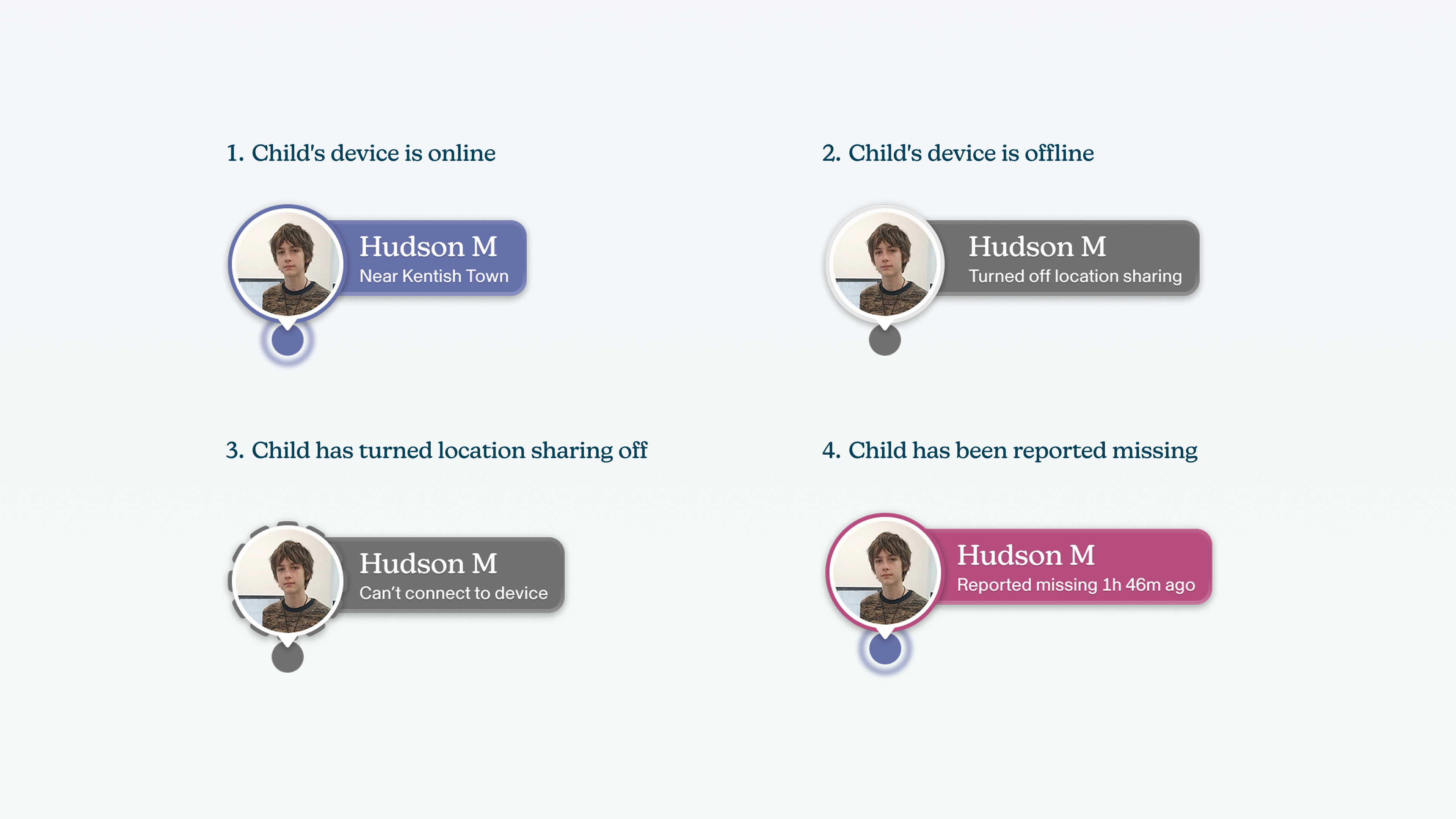
When the pin states that the child's device is online this does not mean the child is actively using the device - it just means it's turned on and we can see it.
Device's status
We allow admins, team owners and guardians to manage children's devices through the Voop dashboard. For the changes that are made on the dashboard to have effect, they need to be synced with the device.
There are a number of factors that influence the speed at which changes will sync between the dashboard and the child's device. Most of the time, the changes that are made on the dashboard will take effect on the device in a short period of time. Sometimes, this may take a little bit longer.
Please note that not all changes will take effect immediately - there may be a short wait as we connect with the device and push the relevant change to them. Don't panic if it is not immediate! It can take a few minutes for a change to be communicated through the network.
Viewing device status
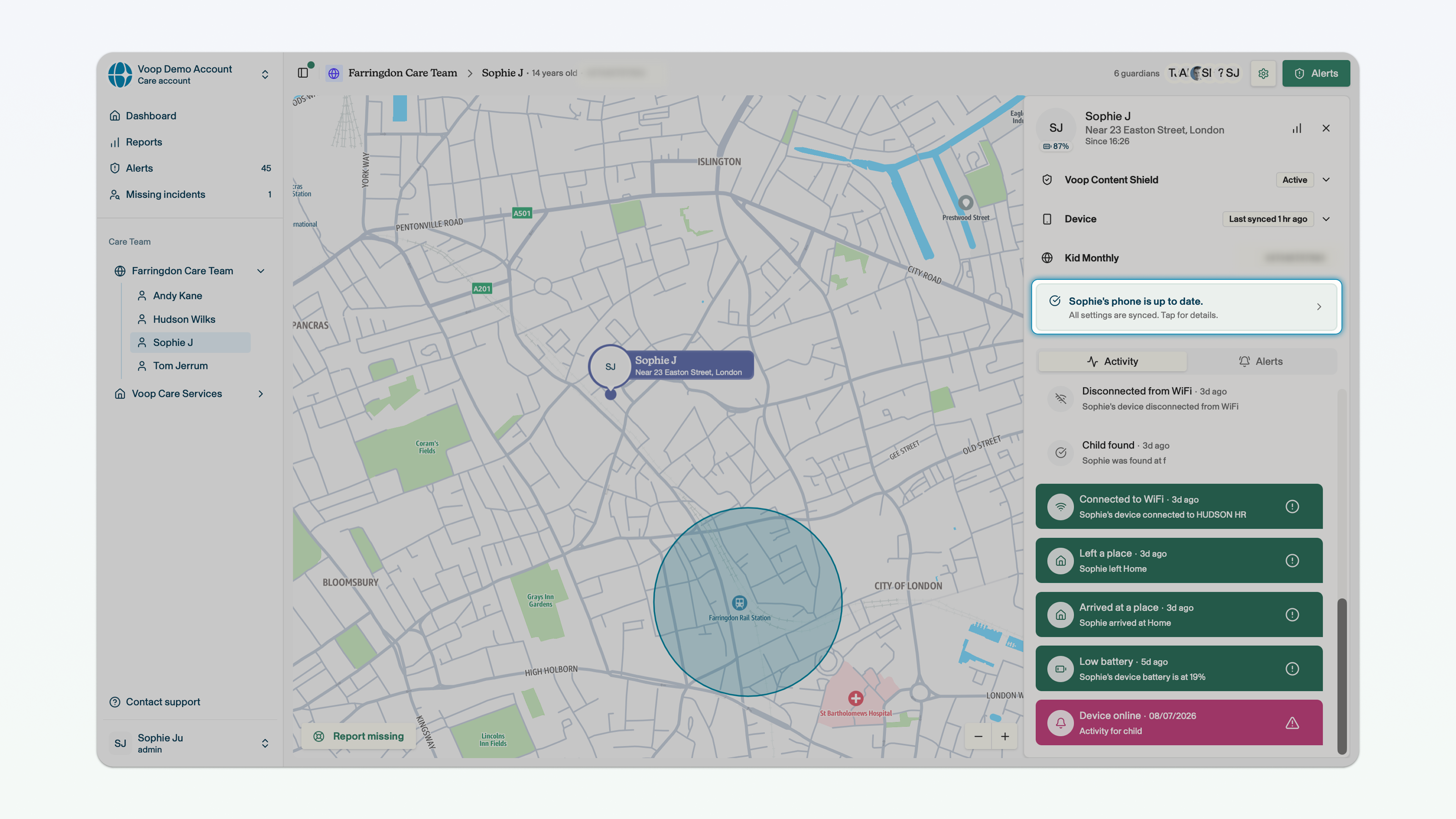
You can view the status of a child's device in the side panel, when you're in the child view.
There are 3 device statuses:
- Device is up to date
- Device is pending
- Device has an error
Device is up to date
You will see this status when any changes you have made to the management of the child's device have synced and are in force. Most of the time, changes that you make on the dashboard will happen really quickly.
Device is pending
You will see this status when any changes you have made to the management of the child's device are taking a little longer than normal. If you see this status it means that the changes you have made have not been implemented on the device. When this status is displayed, it means Voop is still trying to push the changes to the device and we will continue to do so.
Device has an error
You will see this status when any changes you have made to the management of the child's device are not going through. If you see this status it means that we have been trying to reach the child's device and implement these changes for some time, but we have not been able to. It might be due to the phone being offline, or a technical issue.
If you see this status, please reach out to us using the support bubble in the bottom right corner.