

Internet access
Turn off internet access on a child's phone when their care plan requires it, while calls, texts and Voop keep working.
Overview
When internet access is off, websites won't load and apps can't connect to the internet. The phone still works for calls, texts and anything that doesn't need the internet. Voop keeps running in the background, so you can still see the child's location, report them missing and change their settings.
This is a highly restrictive setting. Only use it when a child's care plan says they shouldn't have internet access.
Available on request
Internet access controls aren't switched on for every organisation. If you think this could help a child in your care, contact our Customer Success team to talk through whether it's right for your organisation. Once it's set up, an admin, team owner or guardian can turn internet access on or off.
Finding the Internet access setting
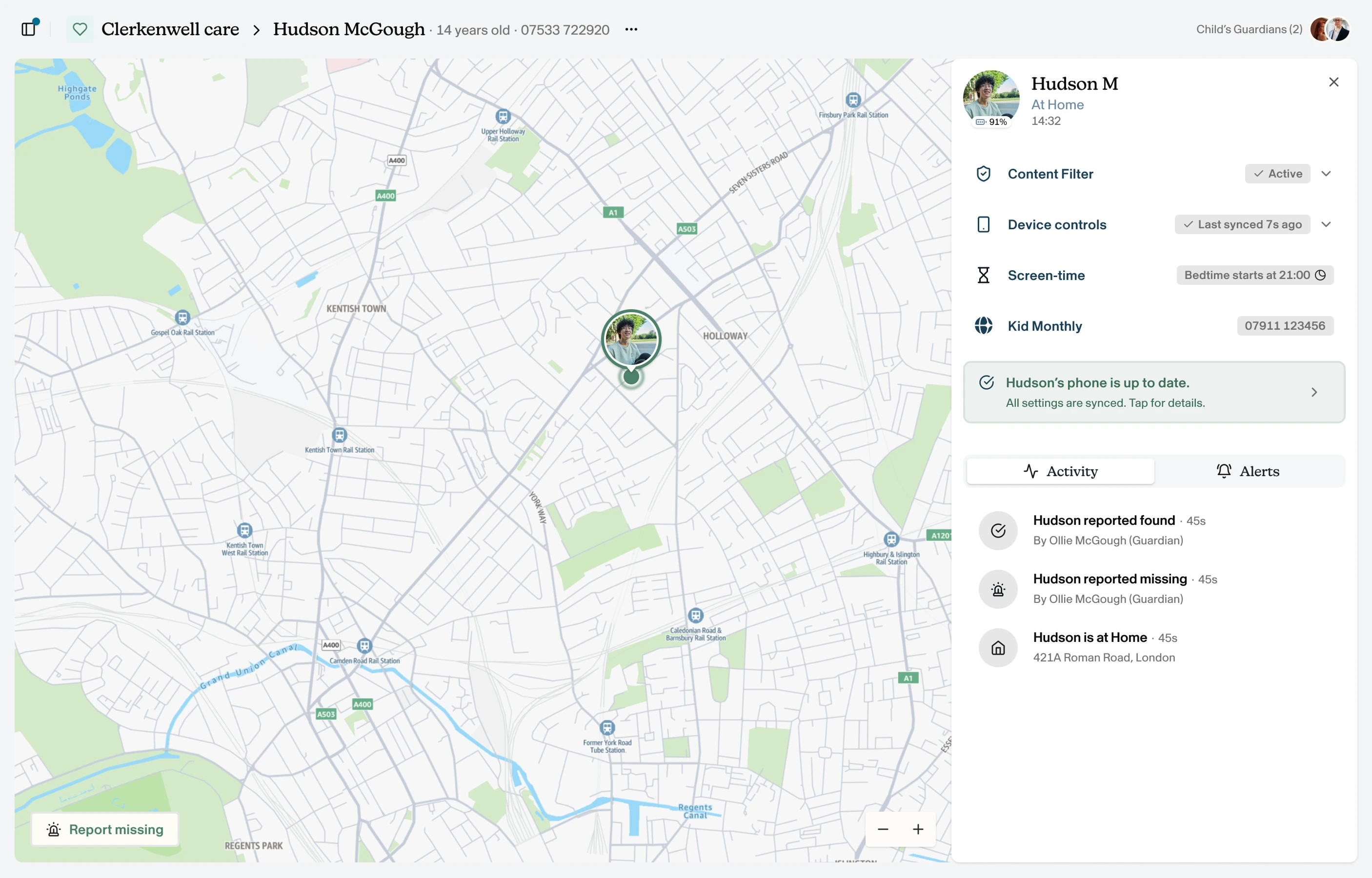
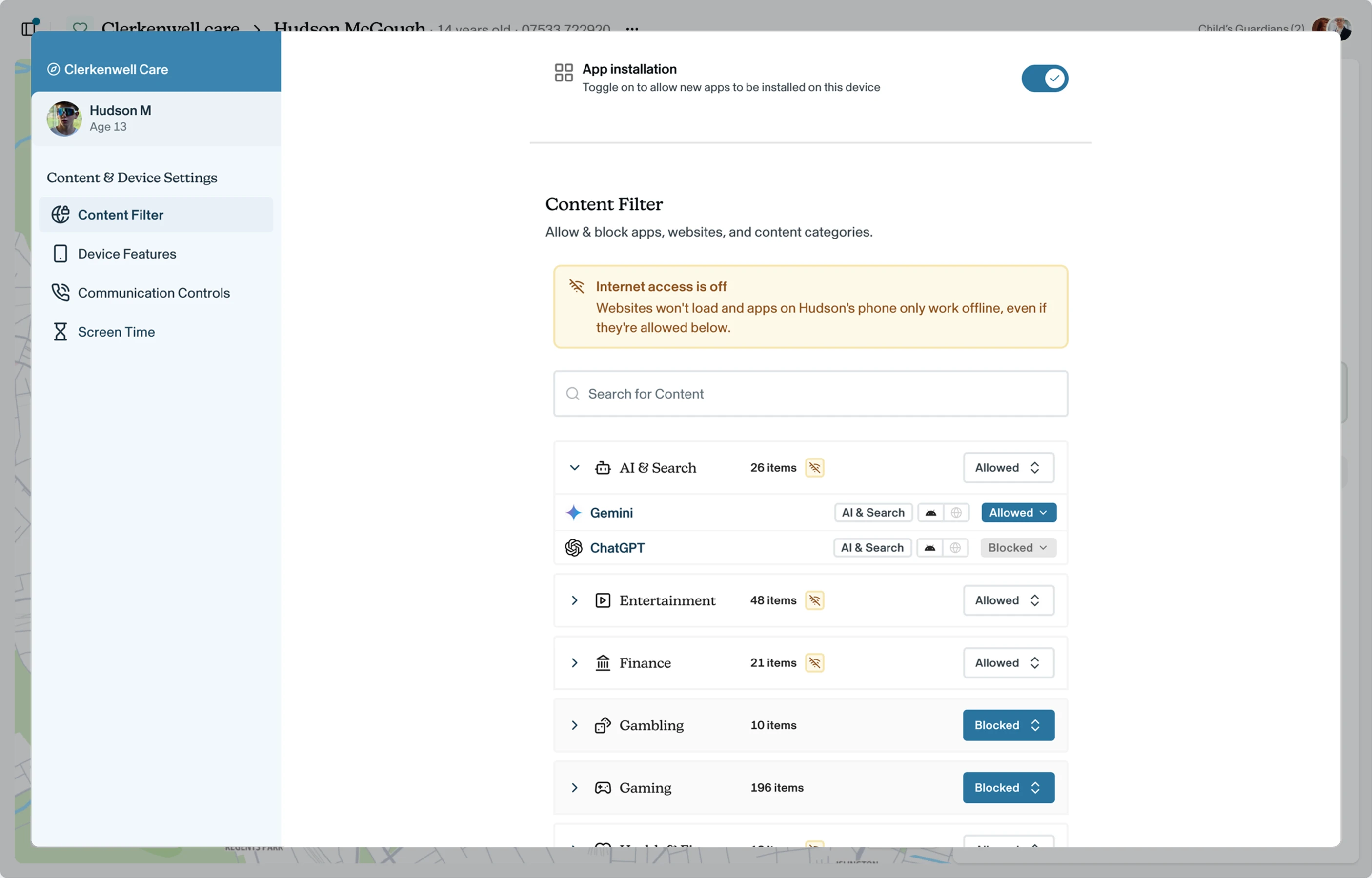
From the child dashboard, click Content Filter on the right-hand side panel. You'll be navigated to the Content Filter section in the Content & Device Settings modal.
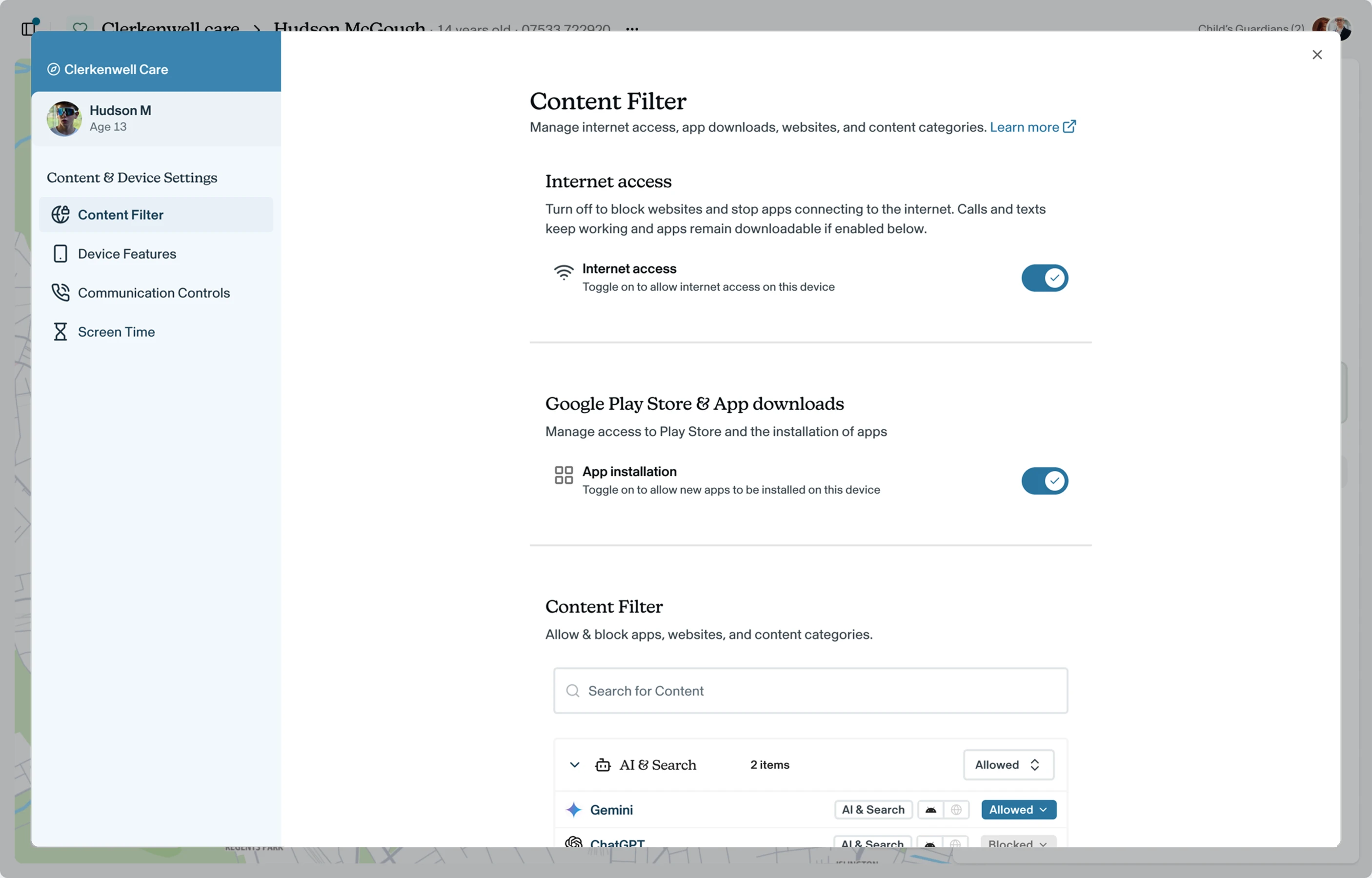
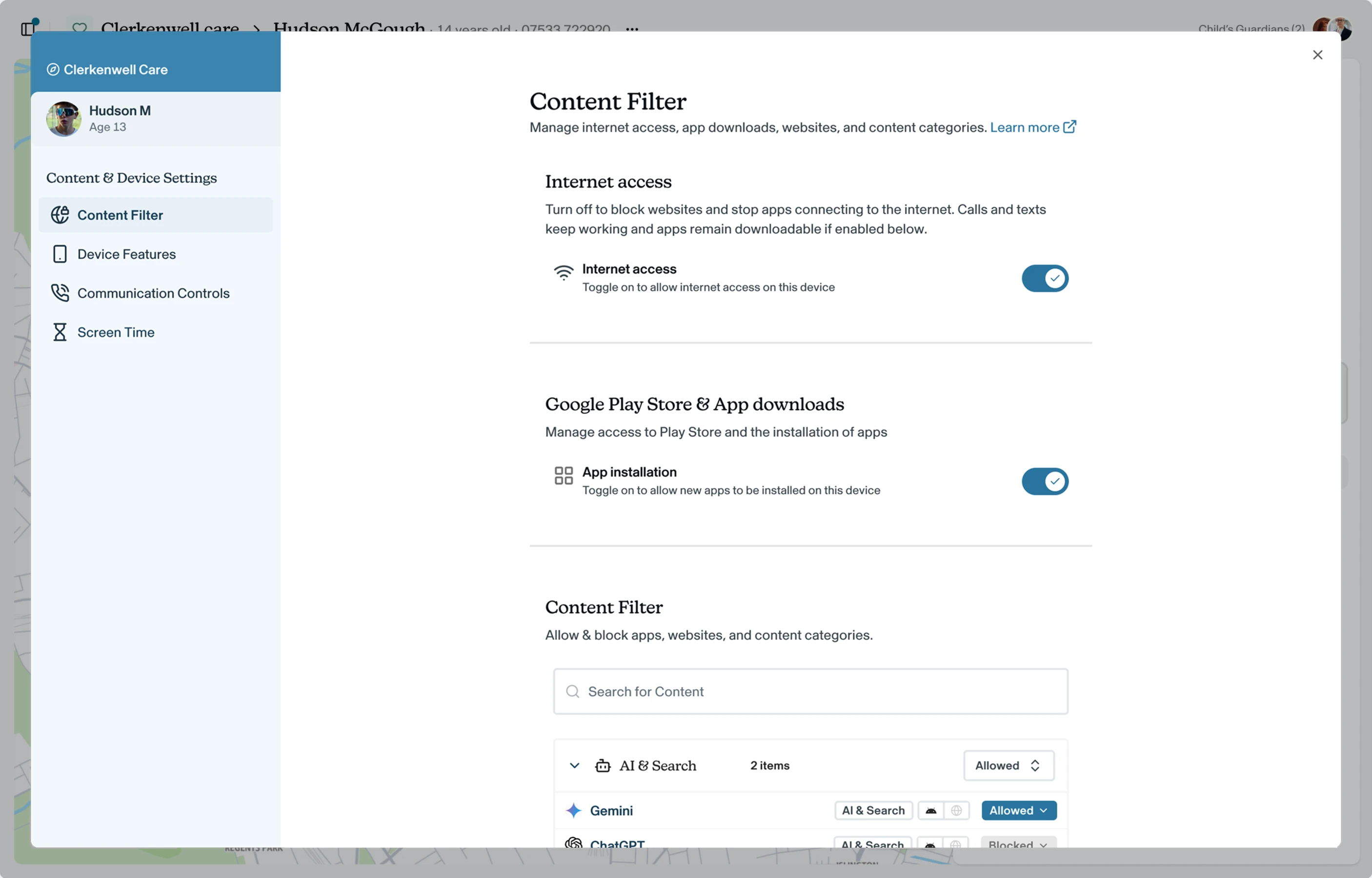
The Internet access toggle sits at the top of the page, above App installation and the list of categories. It's on by default.\
What happens when internet access is off
- Blocked: all websites, including ones you've allowed in the content filter, and internet access in all apps except those below.
- Still works: phone calls and texts (blocked numbers stay blocked), offline apps such as games, downloaded content such as music, app and Android updates, and Voop itself, including location sharing and missing reports.
- Downloading apps: the child can still download apps from the Google Play Store if App installation is on, but new apps will only work offline. To stop downloads completely, turn off App installation. See Downloading apps.
When you turn internet access back on, the phone returns to its normal settings.\
Some apps won't work at all
Some apps need the internet to sign in or to open, for example streaming or social media apps. These won't work while internet access is off, even if you've allowed them.
How it works with your other settings
- Content filter: blocked apps stay blocked. Allowed apps still open, but only work offline. When internet access is back on, your content filter settings apply as normal. See Apps and websites.
- Bedtime: apps you've added as Bedtime exceptions will only play music and other content that's already downloaded. See Screen time.
- Missing: if a child is reported missing, internet access stays off. If the care team decides the child needs it to get home safely, for example to use maps, you can turn it back on. See Missings.
Turn internet access off or on
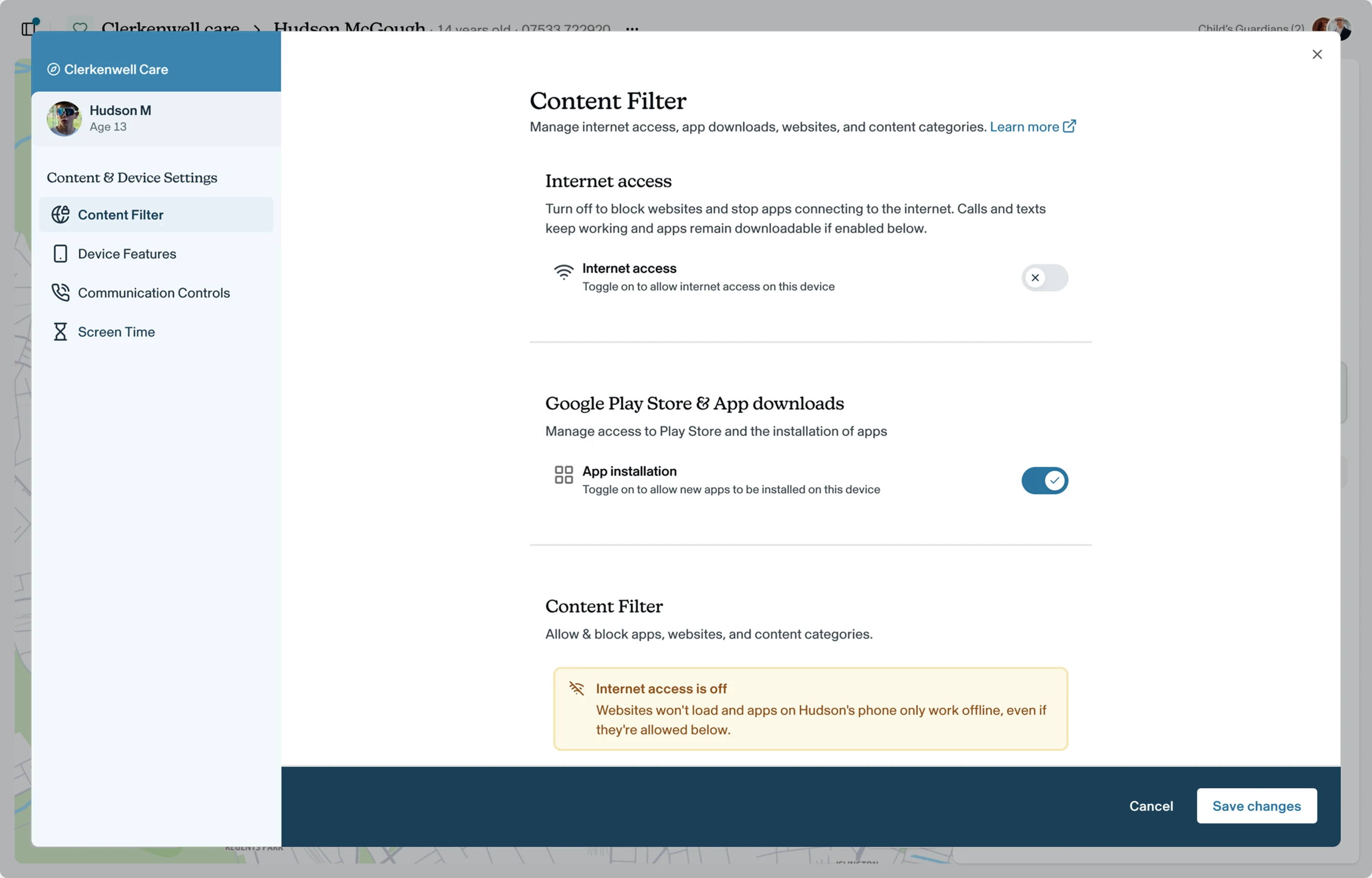
Use the Internet access toggle at the top of the Content Filter page.
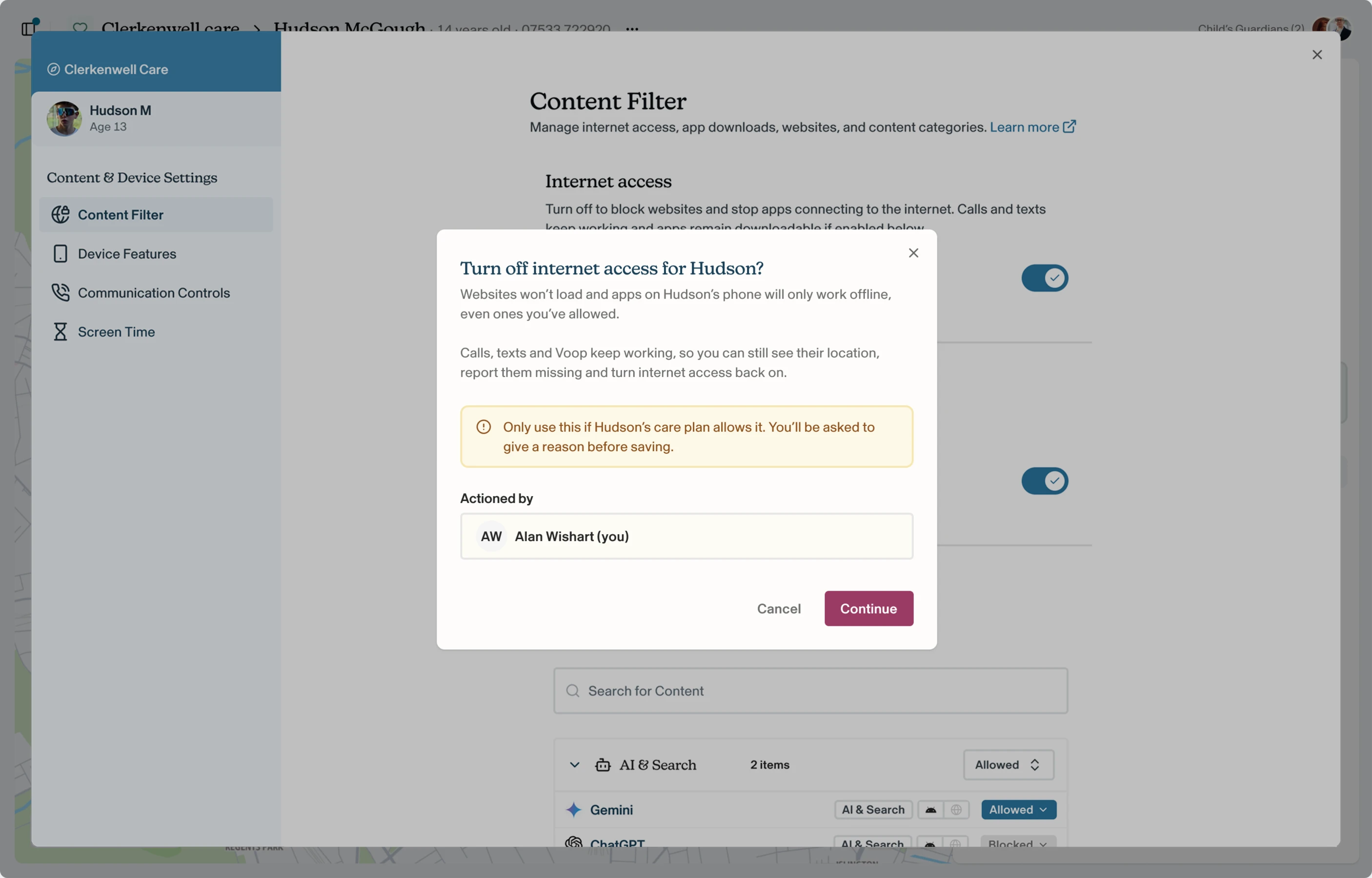
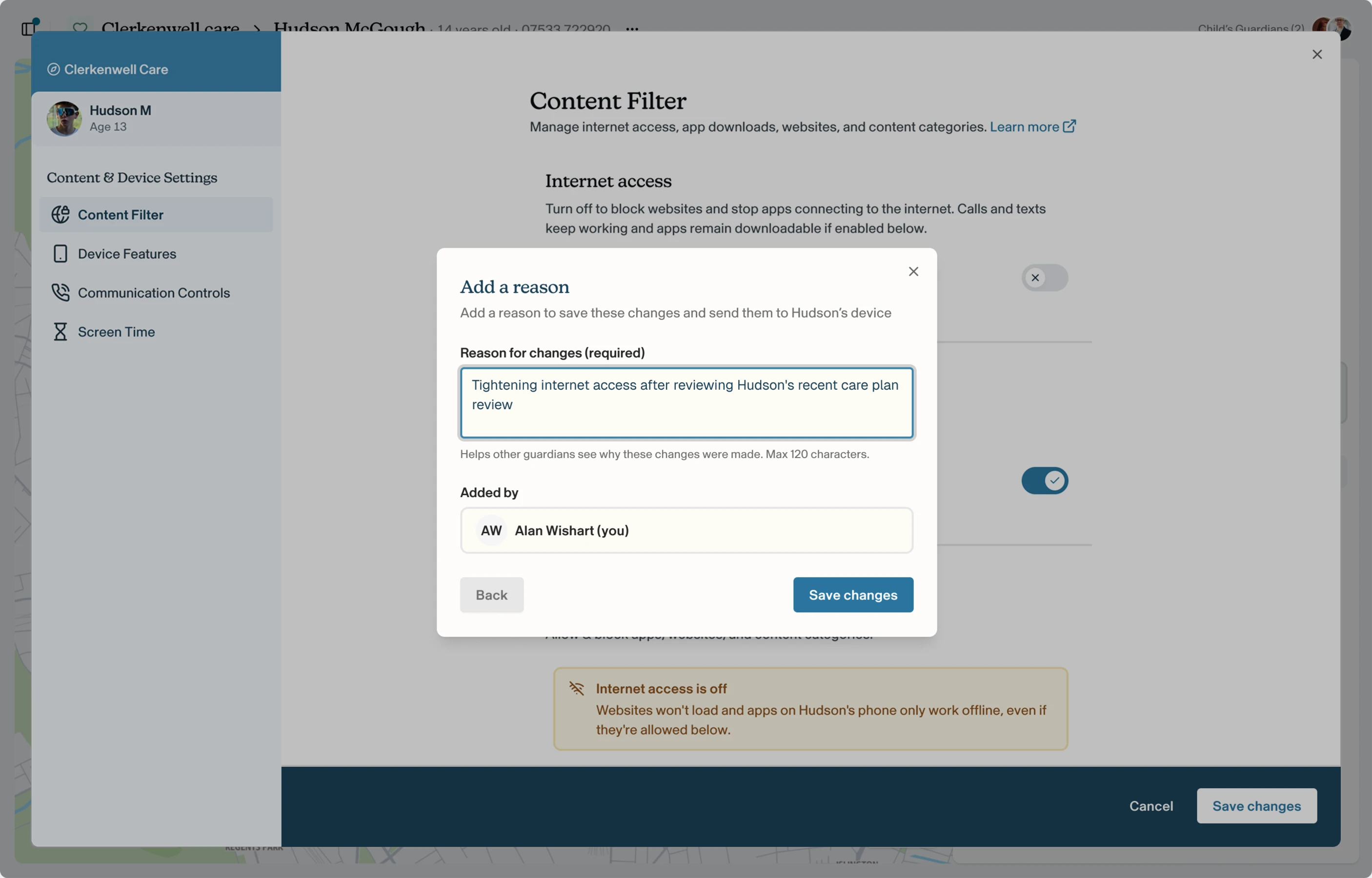
Because turning internet access off is a significant restriction, Voop asks you to confirm first, explaining what will be blocked and what keeps working. Click Continue, then click save changes in the save bar. Add a reason (required, up to 120 characters) and confirm who's making the change. Voop syncs the change to the child's phone and confirms when it's done.
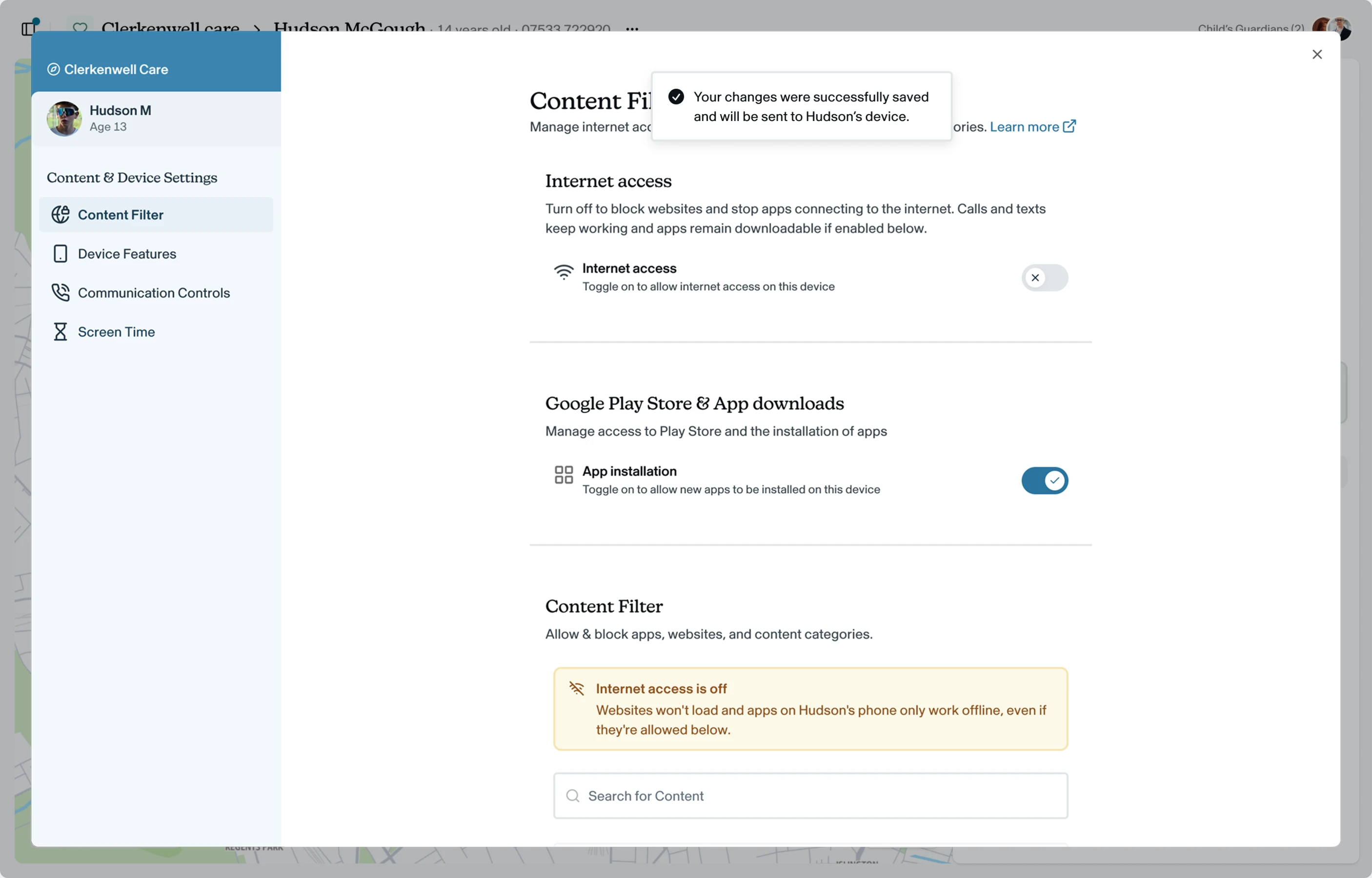
Turning internet access back on follows the same steps. If the phone is on, the change usually takes effect within a few seconds. If it's switched off, it takes effect the next time it's switched on.
Everything is logged
Every change is saved to Change History with the reason and who made it, so there's always a clear audit trail.
What you'll see while internet access is off
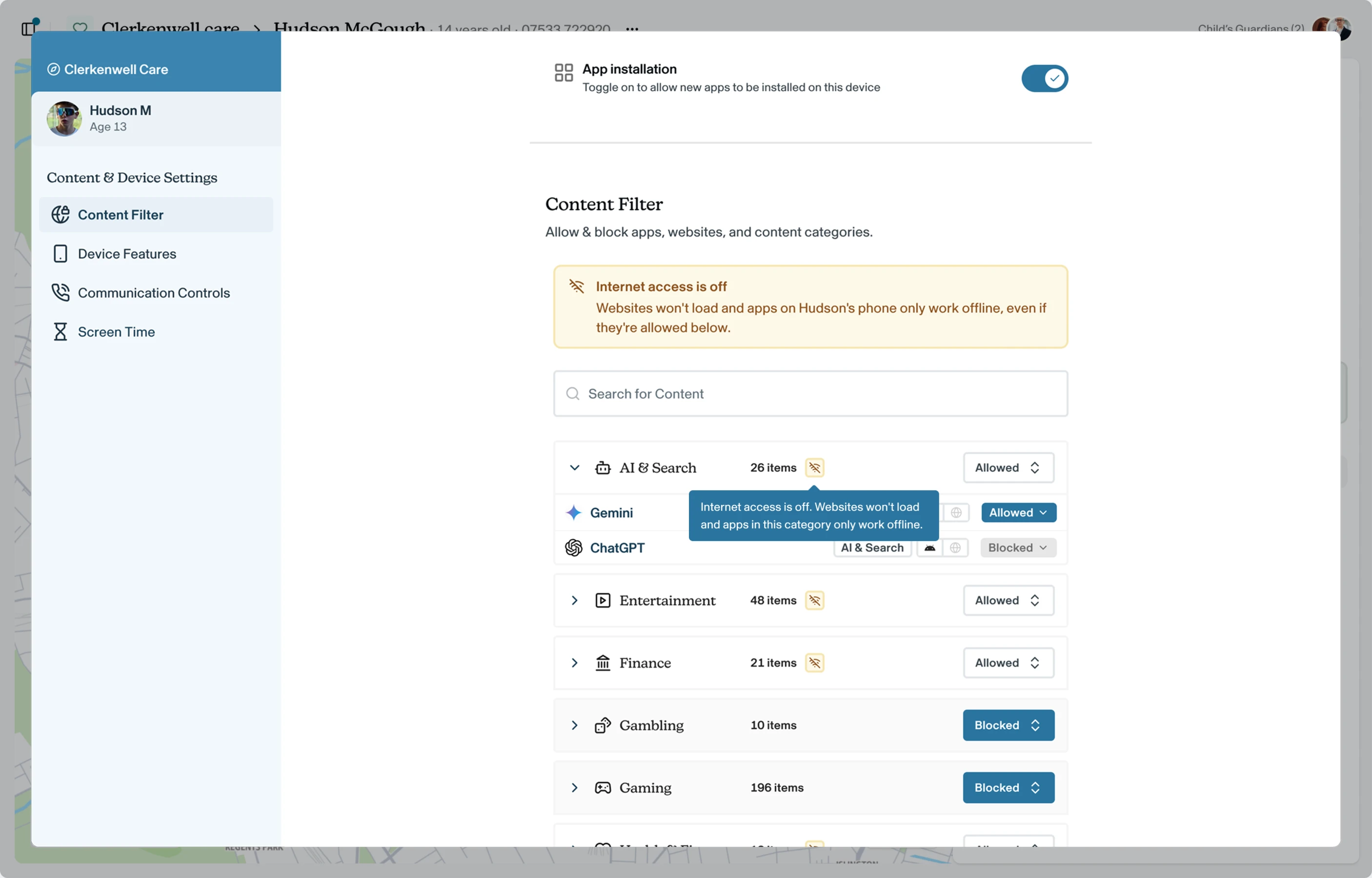
The Content Filter page shows an Internet access is off banner, as a reminder that allowed websites and apps won't connect either. A small icon appears next to each allowed category. Hover over it to see how that category is affected.
What the child sees
The child can always see that their internet access is off, so it's never a surprise.
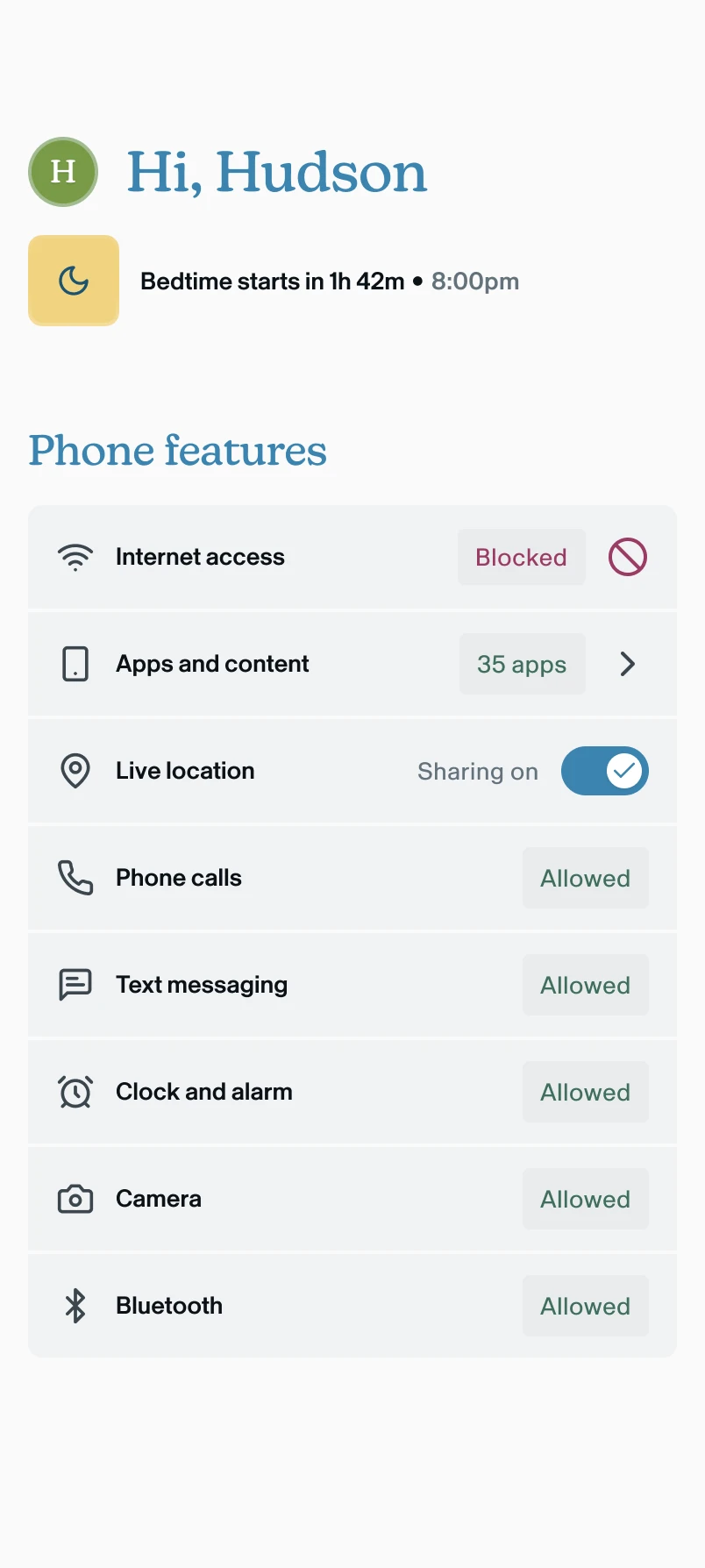
- In the Voop app: the Internet access row shows Blocked.
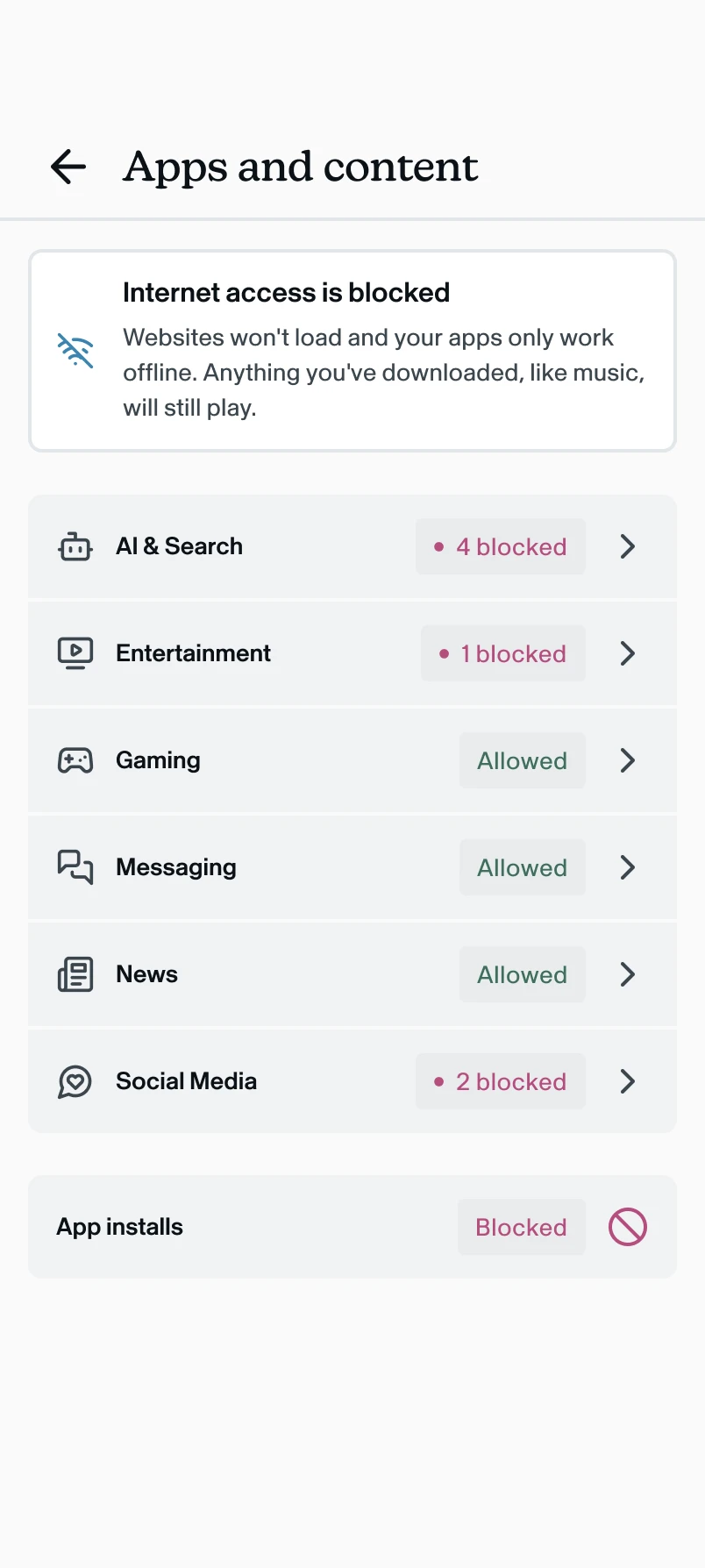
- In Apps and content: an Internet access is blocked message explains that websites won't load and their apps only work offline, but anything they've downloaded, like music, will still play.